
10 steps · 5 parts · 4 roles
How a piece of writing gets marked
A family sends in a story, a teacher marks it or the AI does, and the child and parent read the same report. Every screen is the real product.
Everything below is the real product, photographed automatically. The school, its staff and its pupils are invented for this walkthrough — no real family appears on this page.
The family sends in a piece of writing
Steps 1–3Parent- penleap.com/parent/creative-writingSigned in as Parent
1Three ways to hand in a piece of writing 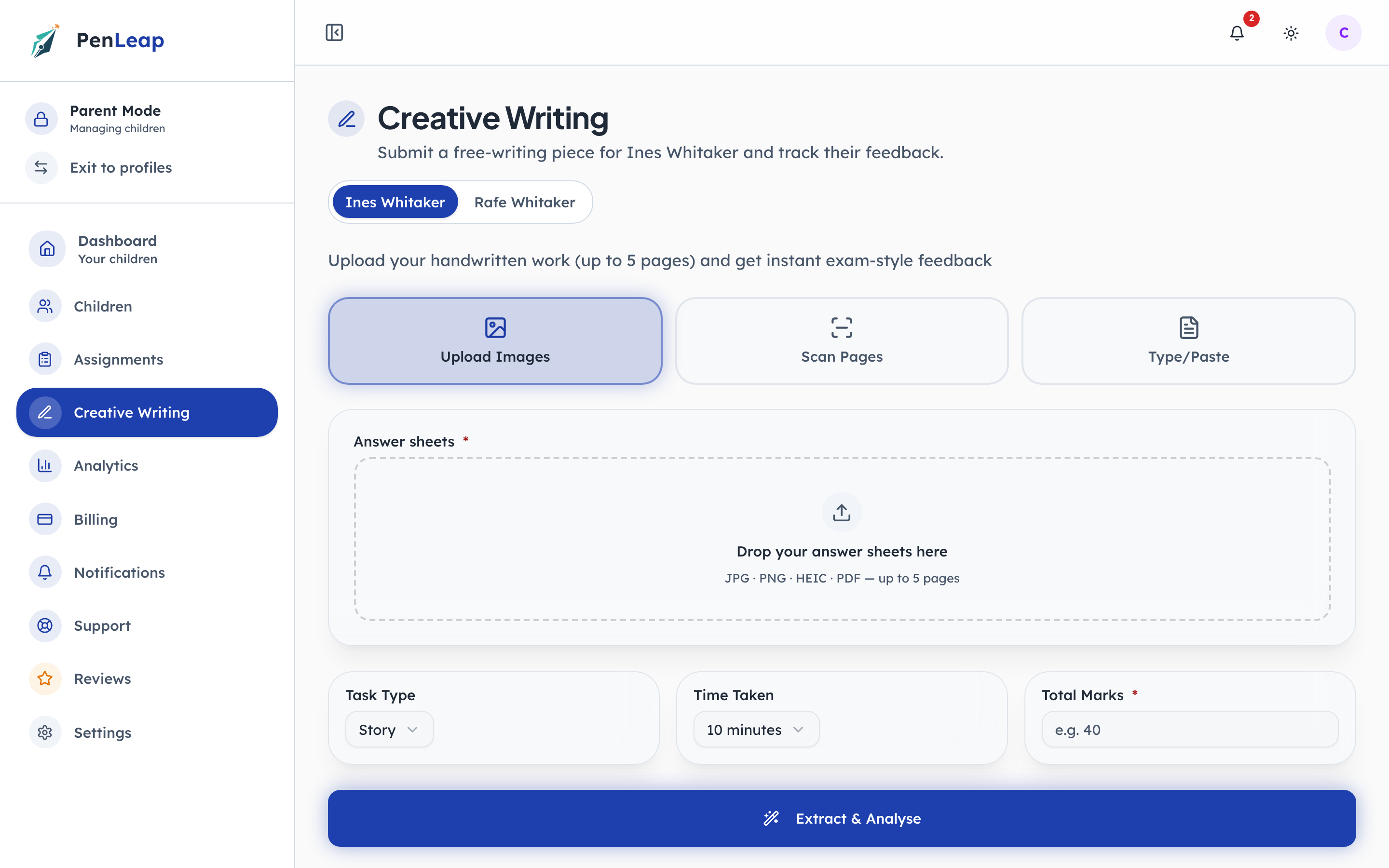
- 1Notice: Photos of the pages
- 2Notice: Scan and auto-crop
- 3Click: Or type it
Photograph the pages, scan them so they are cropped and straightened automatically, or type the text. Handwriting is read and typed up for the marker, so a child who wrote on paper is not asked to copy it out again.
- penleap.com/parent/creative-writingSigned in as Parent
2The writing, what kind of task it was, and how long it took 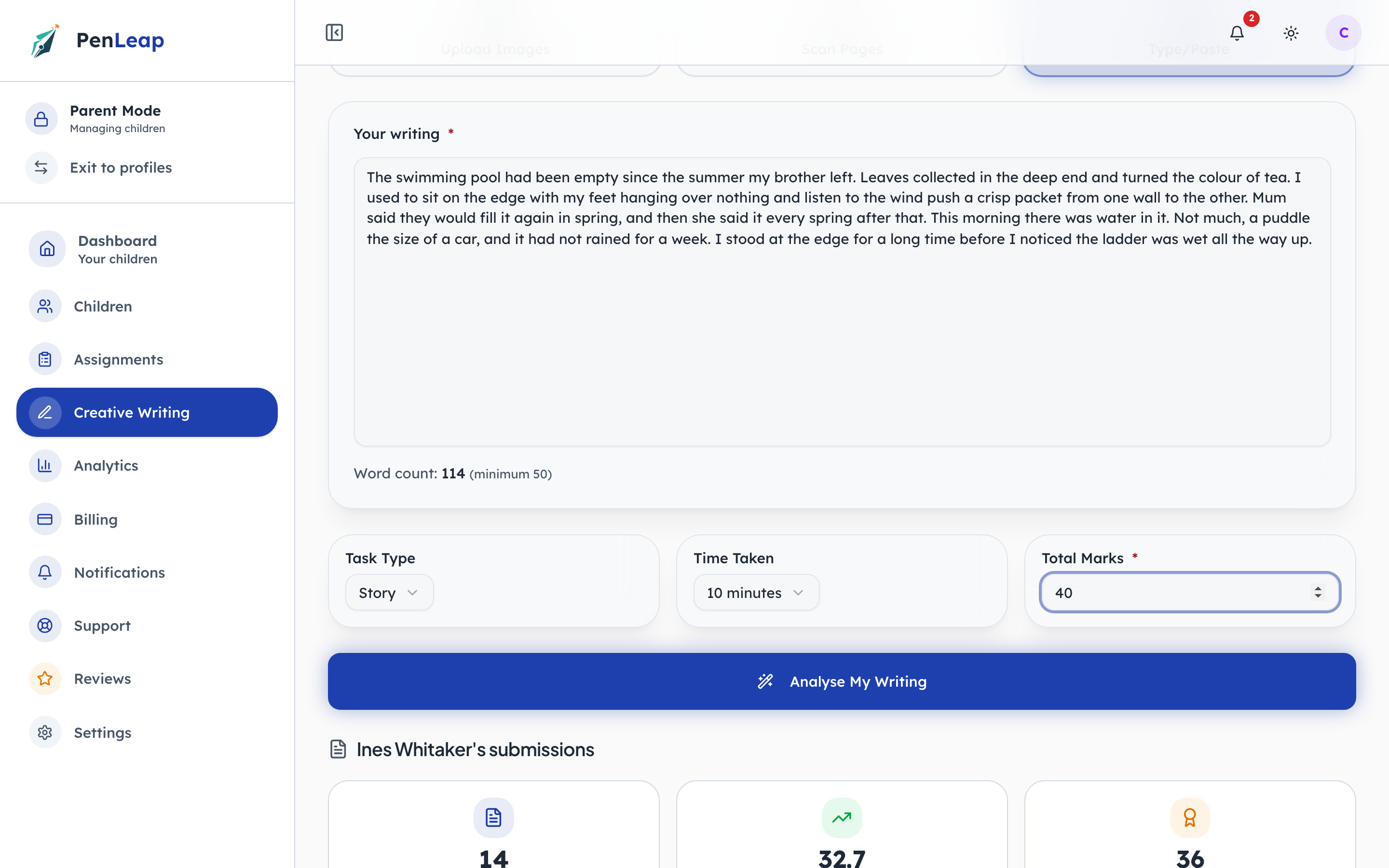
- 1Type in: The writing
- 2Notice: At least fifty words
- 3Type in: What the task was out of
- 4Click: Send it
The task type tells the marker what to look for: a story is judged differently from a description. The time taken is context, so a rushed fifteen minutes is read as such. Fifty words is the minimum for a mark to mean anything.
- penleap.com/parent/creative-writingSigned in as Parent
3One last look before it goes 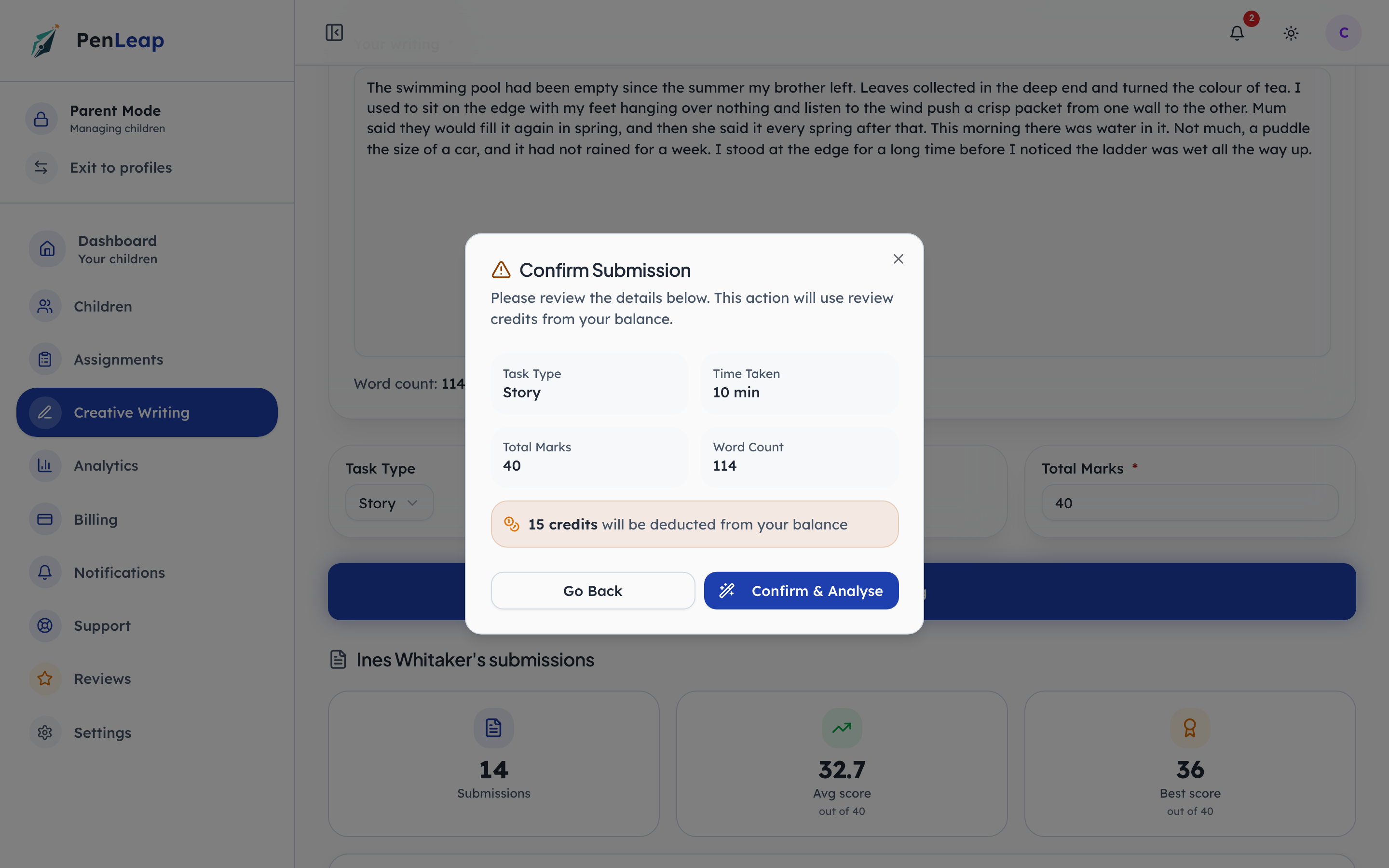
- 1Notice: What is being sent
- 2Notice: Change something
- 3Click: Send it for marking
The details are shown back before anything is sent, and if the piece will use review credits it says so here. In a centre running manual review, nothing is charged: the piece goes to a person.
The teacher marks it
Steps 4–7Class Teacher- penleap.com/dashboard/submissionsSigned in as Class Teacher
4Work waiting to be marked, in one queue 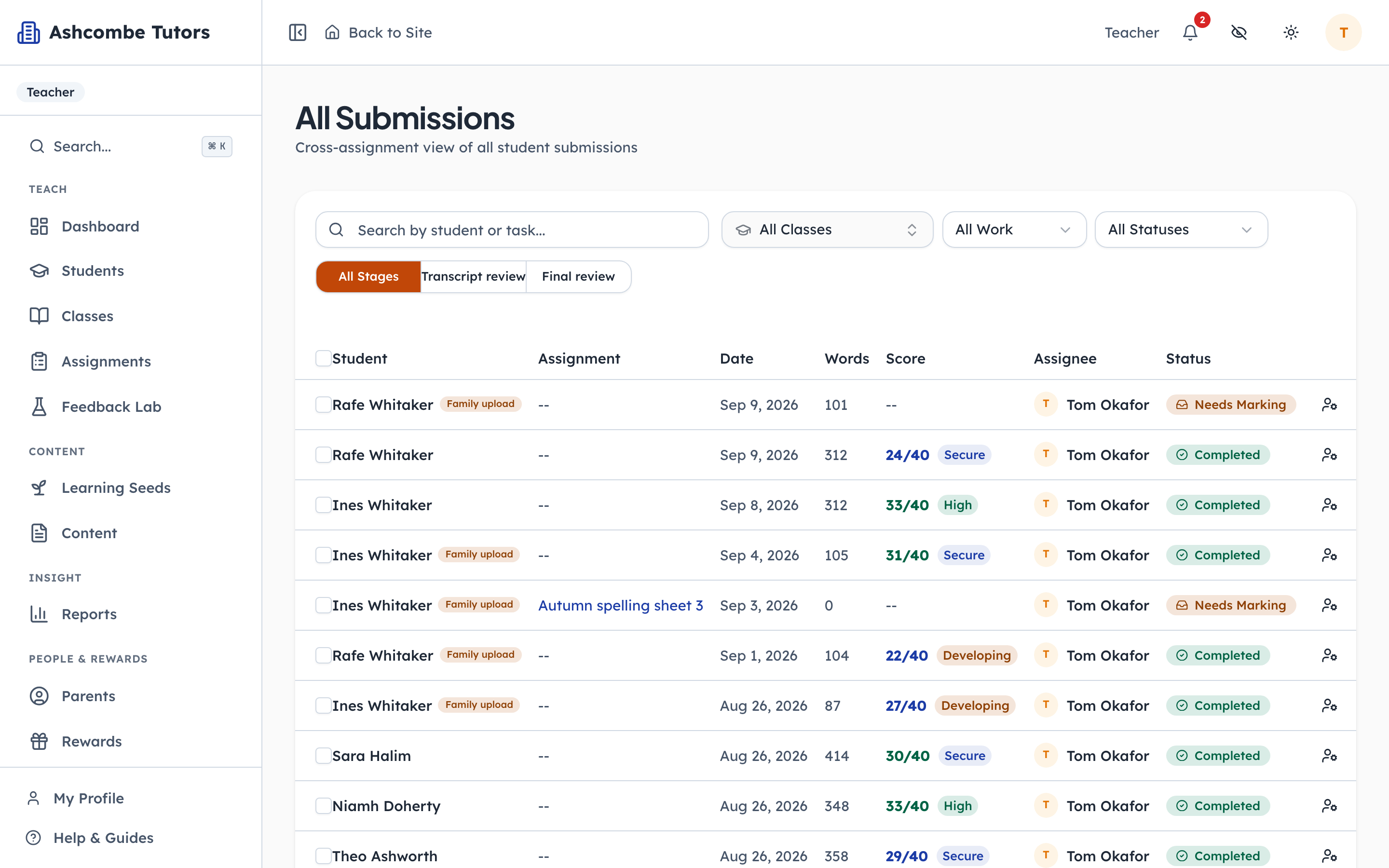
- 1Notice: A person has to act
- 2Notice: Whose job it is
- 3Click: Open it
Every piece the centre has received, with who it is assigned to and where it has got to. Needs Marking means a person has to act. Completed pieces show their score and band in the same row, so the queue doubles as the record.
- penleap.com/dashboard/submissions/…Signed in as Class Teacher
5Marking by hand: a score, a band, and a comment the family will read 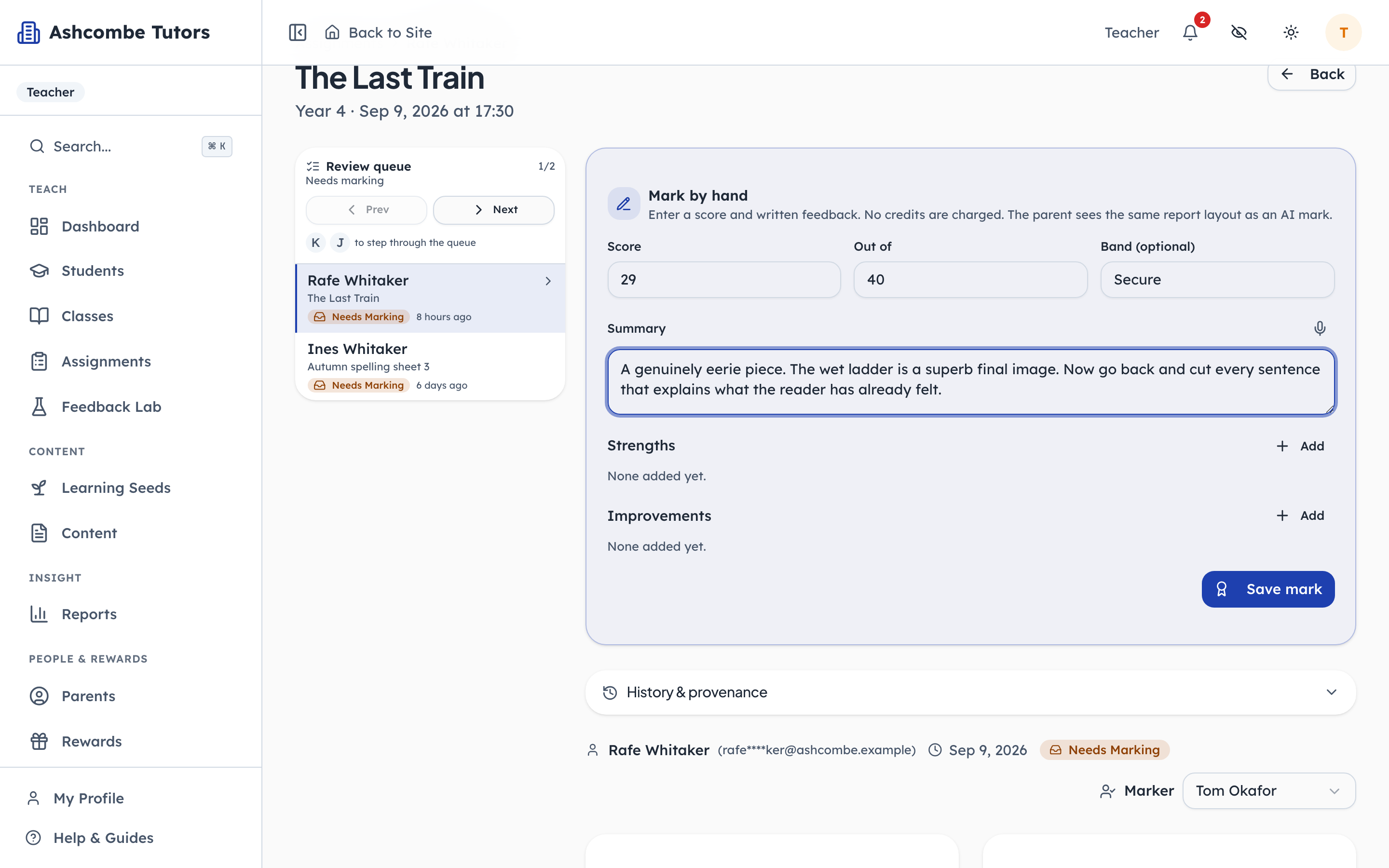
- 1Type in: The score
- 2Type in: The band
- 3Type in: Written to the family
- 4Click: Save it
A human mark costs no credits and produces the same report layout the AI does, so a family never knows or cares which route a piece took. Strengths and improvements are added as short titled points. The AI route is one button away when the centre wants it.
- penleap.com/dashboard/submissions/…Signed in as Class Teacher
6A piece the AI marked, before the family sees it 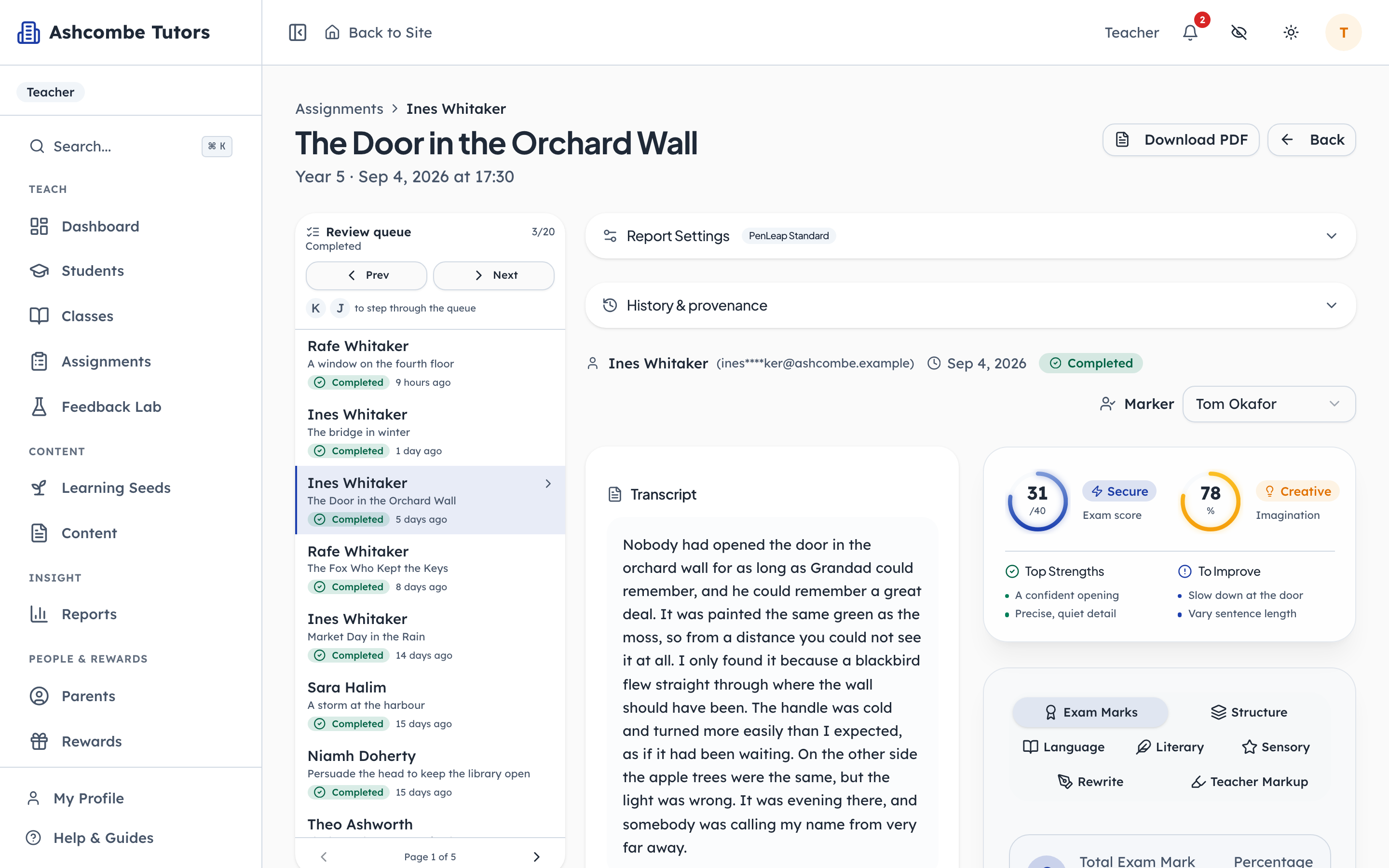
- 1Notice: Score and band, out of forty
- 2Notice: Specific, and few
- 3Click: Criterion by criterion
- 4Notice: Or as a PDF for the file
An AI report arrives as a full document: score, band, strengths, improvements, and marks by criterion with tips. The teacher can edit any line of it. This is the step where a centre puts its own judgement on top of the machine's.
- penleap.com/dashboard/submissions/…Signed in as Class Teacher
7Nothing reaches the family until it is published 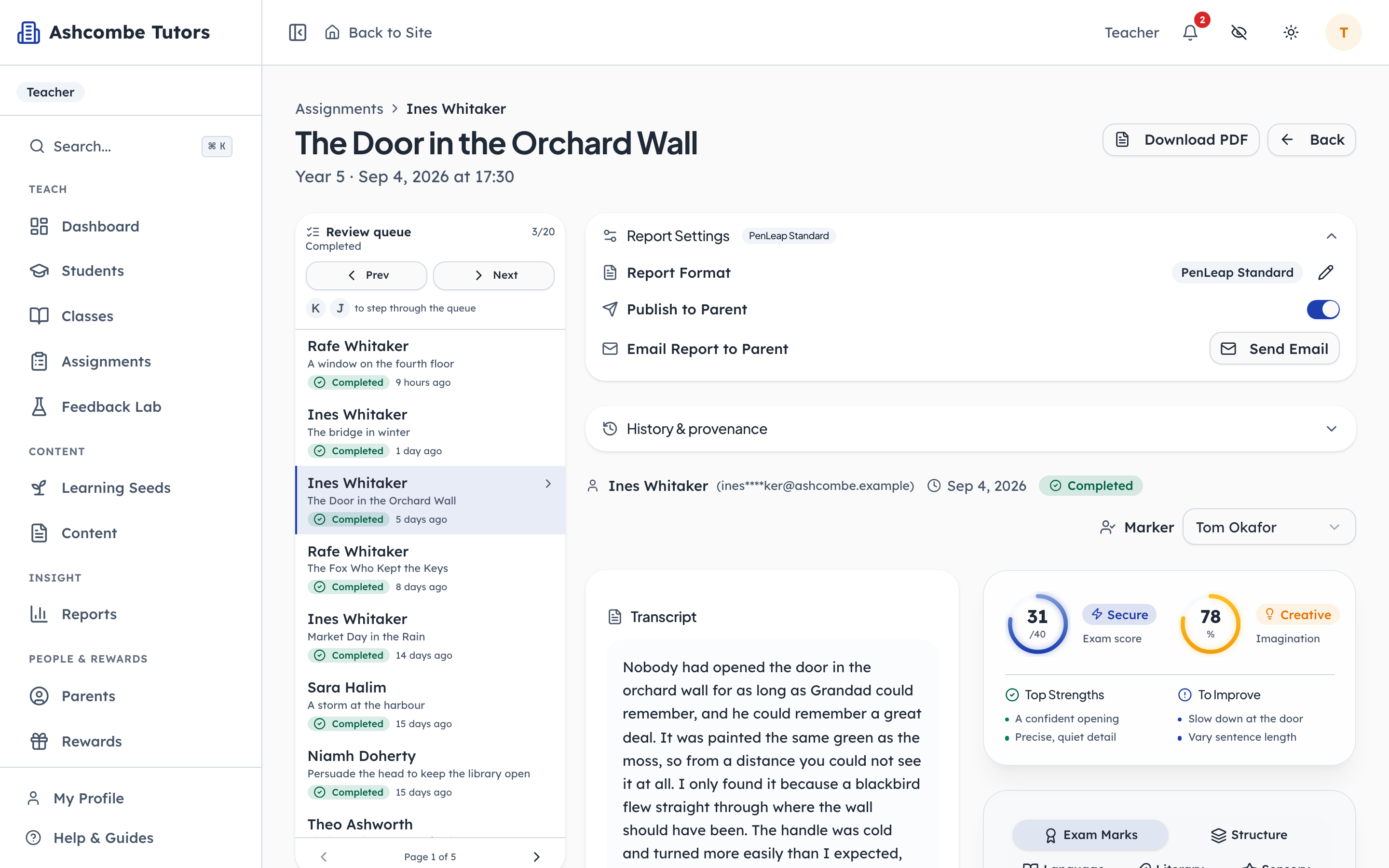
- 1Click: Release it to the family
- 2Notice: And email it, if you like
A marked piece stays with the centre until the switch is turned on. That is true whether a person or the AI marked it. Turning it on makes the report appear for the child and the parent at the same moment, and it can be emailed as well.
What the child sees
Steps 8–9Child- penleap.com/feedback-lab/historySigned in as Child
8Every piece the child has sent, and which ones are marked 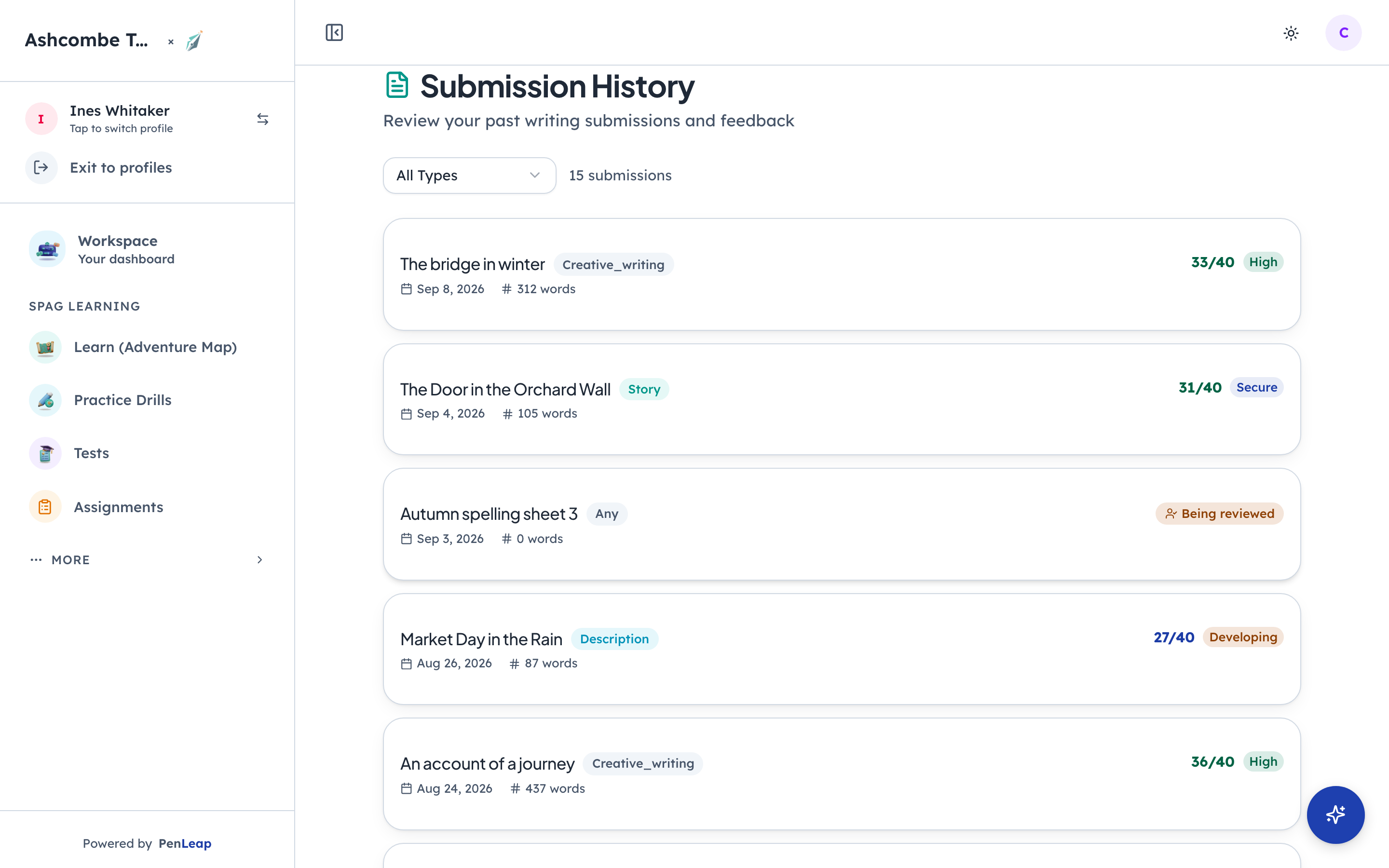
- 1Notice: Still with the teacher
- 2Click: Marked and published
A piece still with the teacher says so, without a score. A published one shows its score and band right on the row. The child sees exactly what the parent sees, which is deliberate: there is no version of the report a child is kept from.
- penleap.com/feedback-lab/…Signed in as Child
9The report: a score, a band, what worked, and what to do next 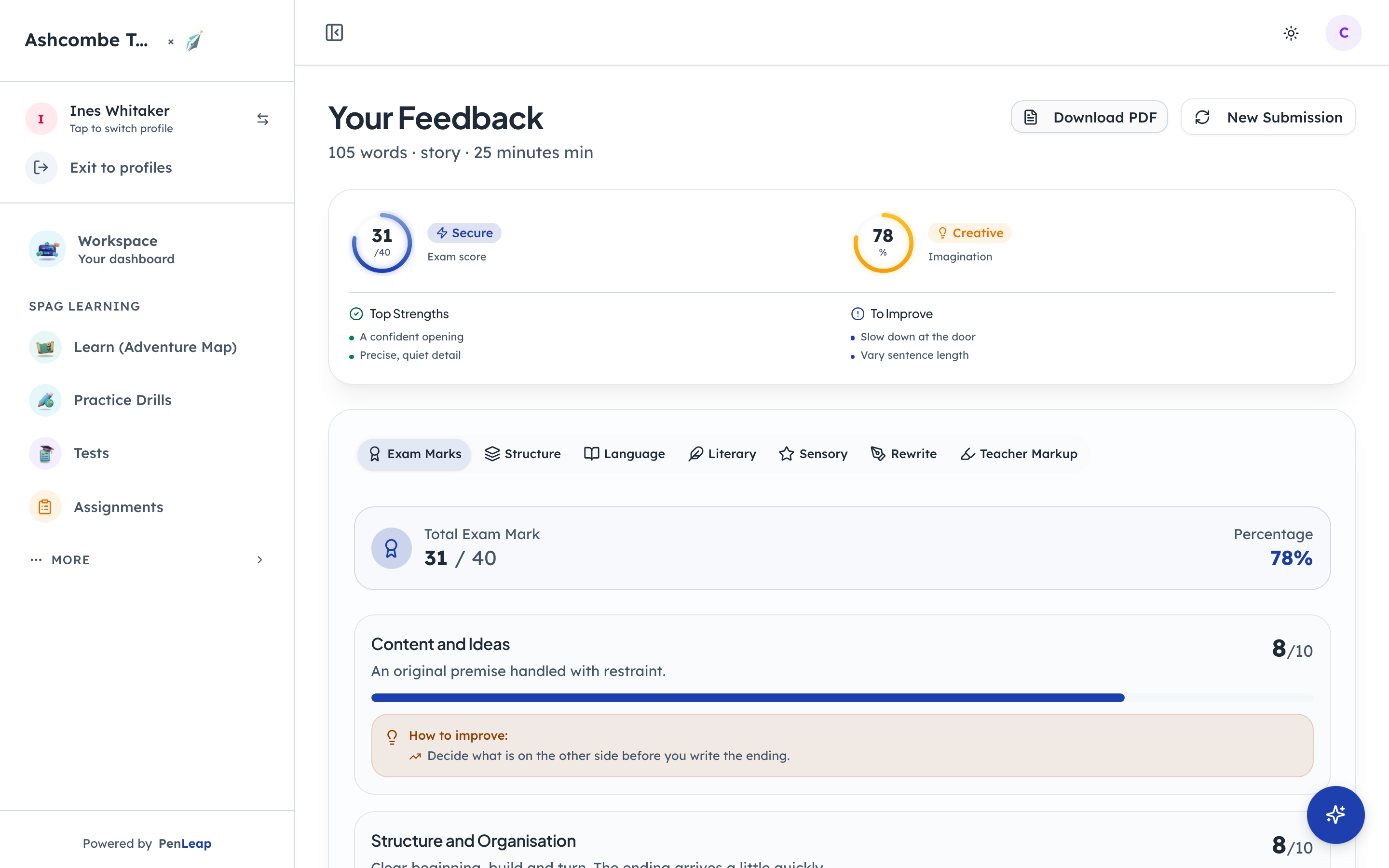
- 1Notice: Out of forty, with a band
- 2Notice: What to keep doing
- 3Notice: What to do next
- 4Click: Mark by mark, with tips
The score is out of forty, the way an 11+ paper is marked. Strengths are named so the child knows what to keep doing. Improvements are specific and few. The tabs underneath go criterion by criterion, with tips for each.
What the parent sees
Step 10Parent- penleap.com/parent/creative-writingSigned in as Parent
10The parent's view of the same work, with the averages 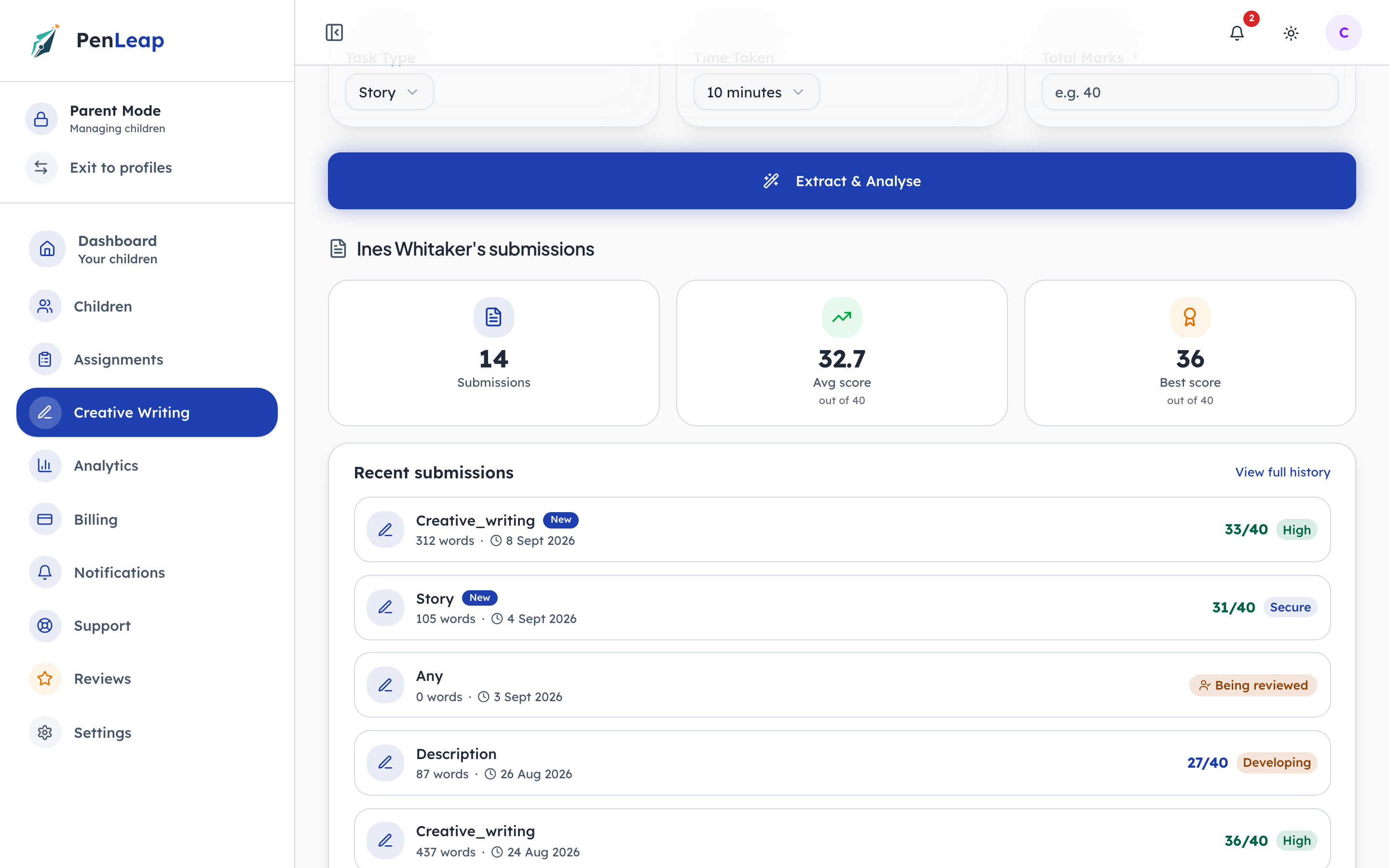
- 1Notice: Across every piece
- 2Click: Every report, in order
Under the submission form is the child's record: how many pieces, the average, the best. A parent watching the average creep up over a term is the whole point of marking consistently.
Who marks free writing is the centre's call
VariantsOrg Admin- penleap.com/dashboard/settingsSigned in as Org Admin
V1One setting decides whether a person or the AI marks free writing 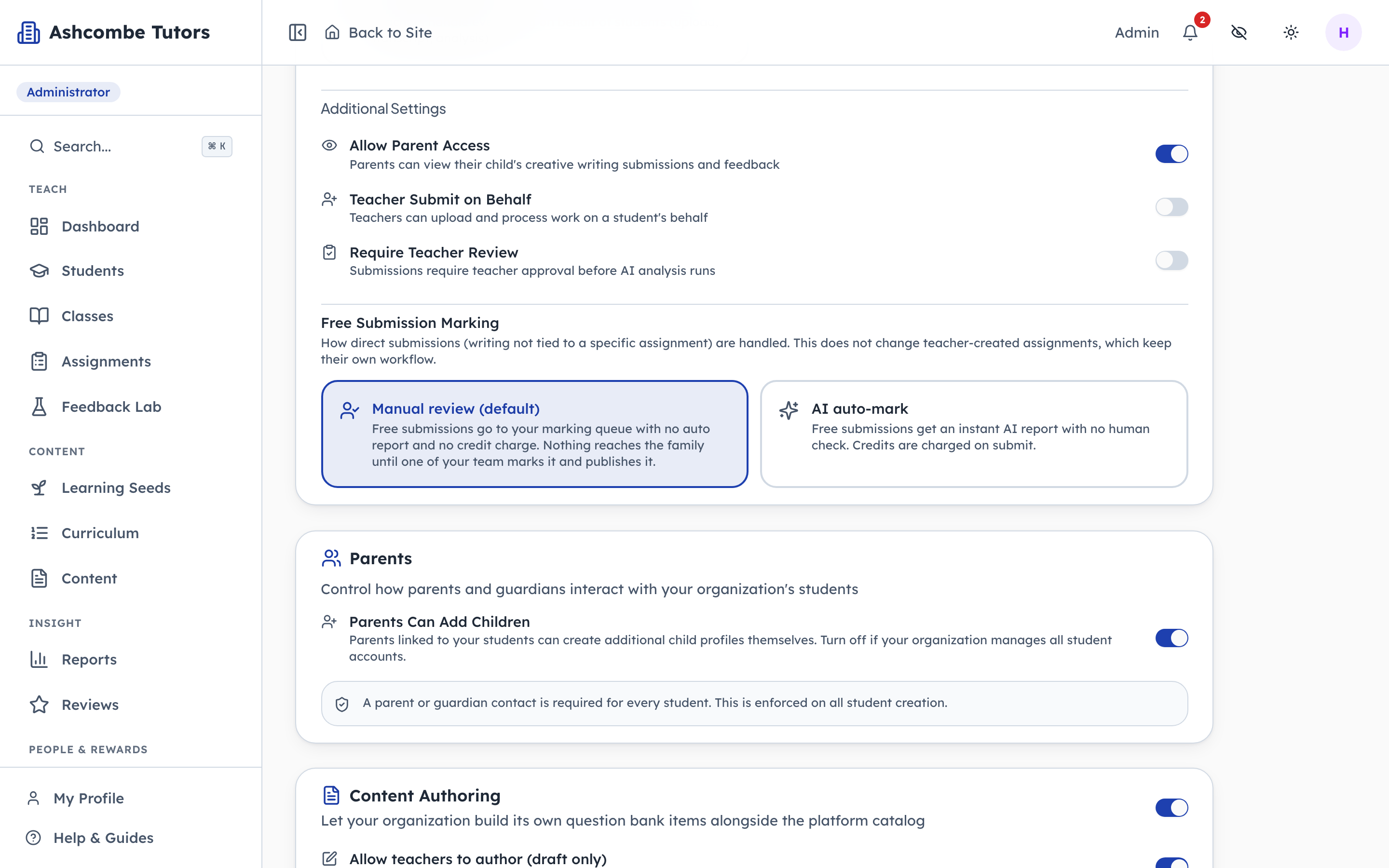
- 1Notice: A person, no credits
- 2Click: Instant report, credits charged
Manual review is the default: writing goes to the queue, a person marks it, no credits are used. AI auto-mark returns a report the moment the piece is sent and charges credits for it. Work set as an assignment keeps its own rules either way.