
10 steps · 3 parts · 2 roles
How a question from a family gets answered
A parent asks for help from inside their own account, the centre answers it from one queue, and the reply lands back where the question started. Every screen below is the real product.
Everything below is the real product, photographed automatically. The school, its staff and its pupils are invented for this walkthrough — no real family appears on this page.
A parent asks for help
Steps 1–3Parent- penleap.com/parent/supportSigned in as Parent
1Every question this family has ever asked, in one list 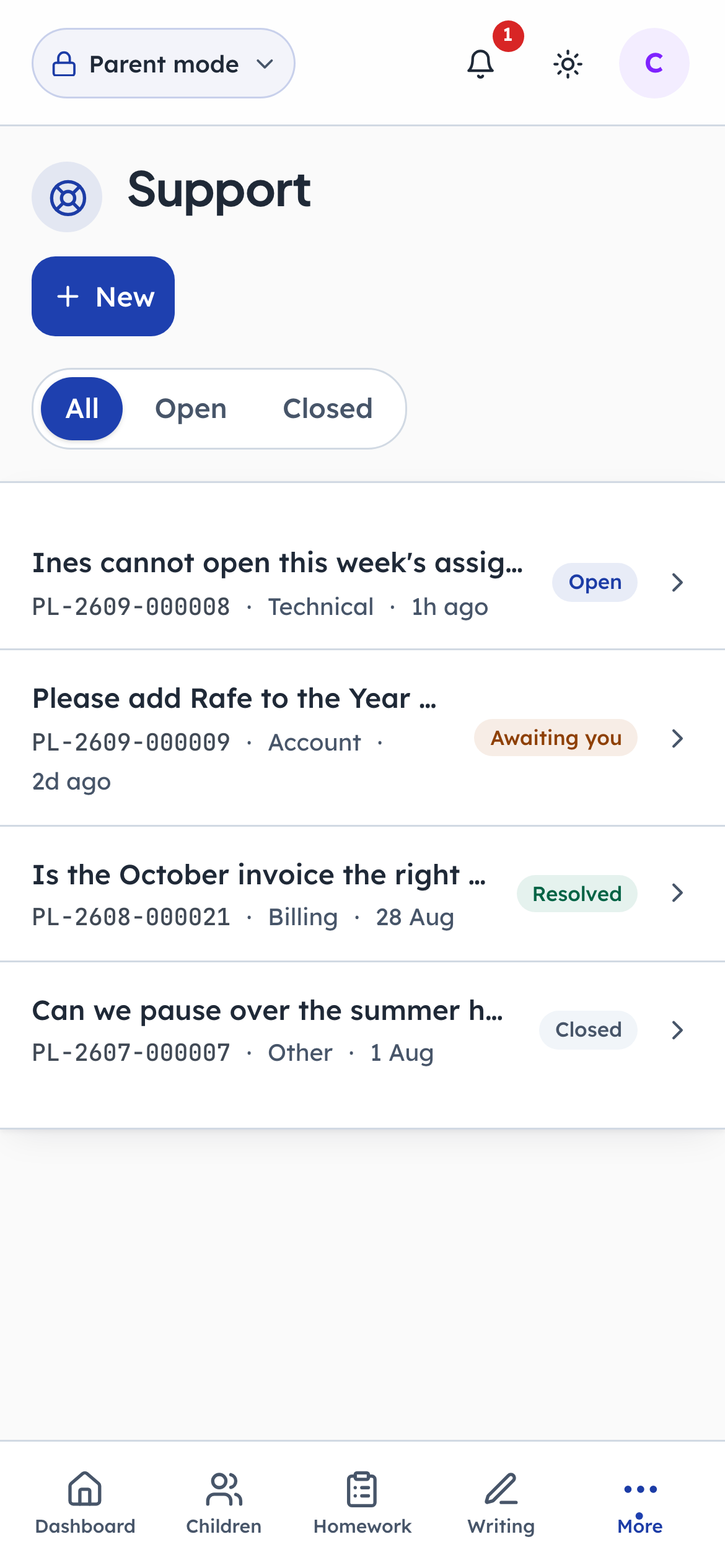
- 1Notice: One row per question
- 2Notice: The reference to quote
- 3Click: Ask something new
Support lives inside the parent's own account rather than in an email address, which means a question arrives already knowing who is asking and which children they have. The reference number leads each row: it is the thing a parent reads out on the phone. A dot beside a subject means the centre has replied and it has not been read yet.
- penleap.com/parent/supportSigned in as Parent
2A subject, a category, and what actually happened 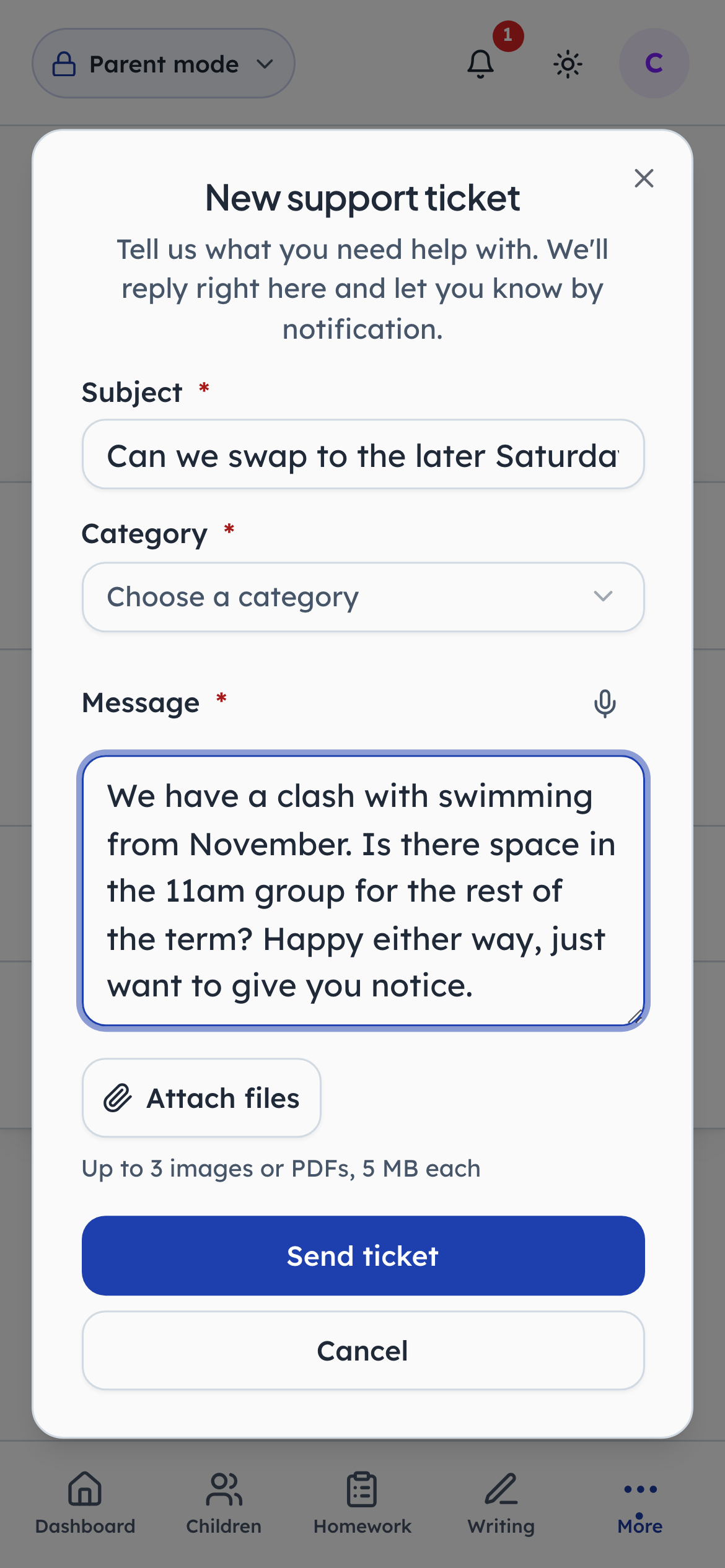
- 1Type in: A subject line
- 2Click: This decides who sees it first
- 3Type in: The whole story, in one place
The category is the only field that changes anything: it decides who at the centre sees the ticket first. Everything else is prose. There is no priority field here on purpose — how urgent a thing is turns out to be the centre's judgement rather than the asker's, and a form that lets everyone choose Urgent quickly stops meaning anything.
- penleap.com/parent/support/…Signed in as Parent
3The question, and every reply, on one page 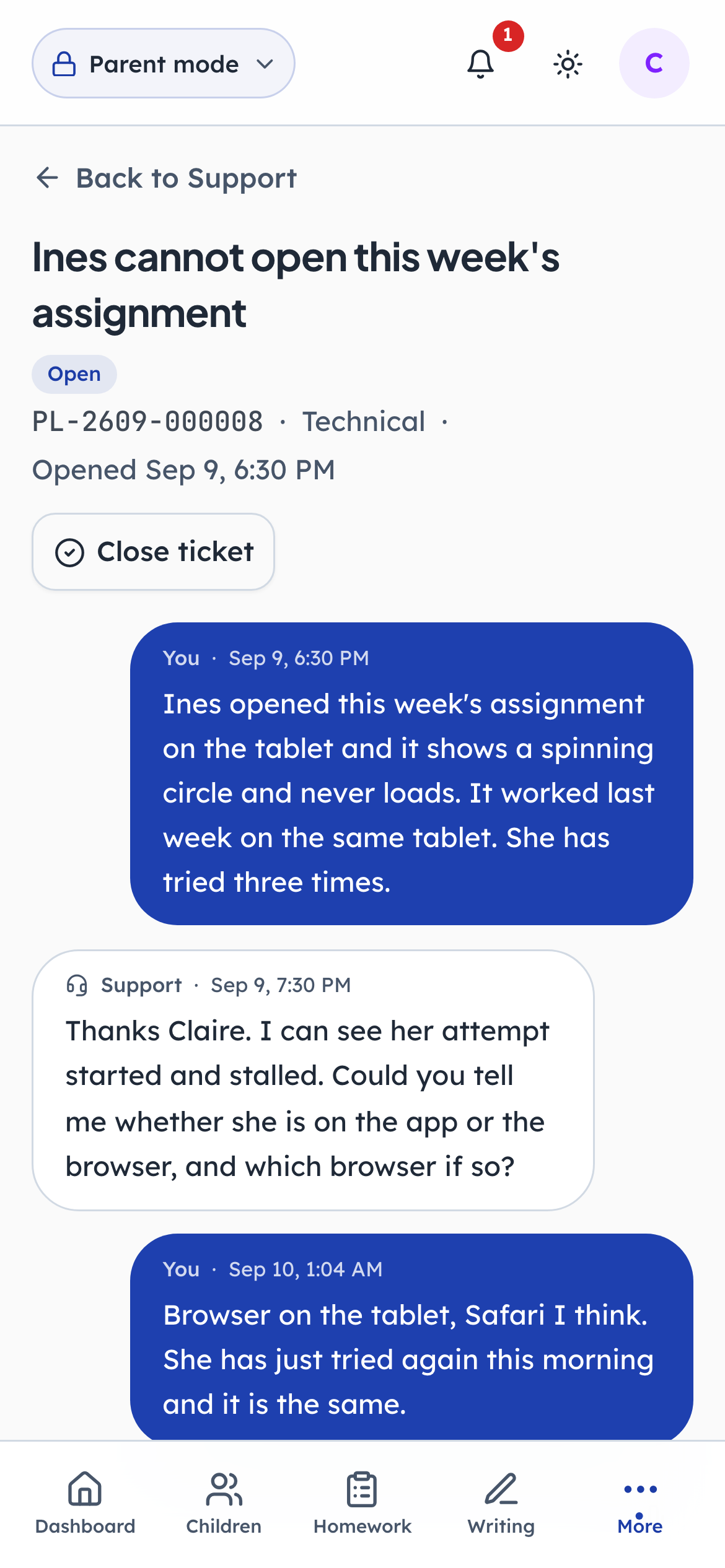
- 1Notice: What was asked
- 2Notice: The family can close it too
A ticket is a conversation, not a form submission. The parent's own words sit at the top and each reply lands underneath, so nobody has to reconstruct the thread out of an email chain. Close ticket is the parent's, not only the centre's: a family that no longer needs an answer can say so.
The centre picks it up
Steps 4–7Org Admin- penleap.com/dashboard/supportSigned in as Org Admin
4One queue for every family's question 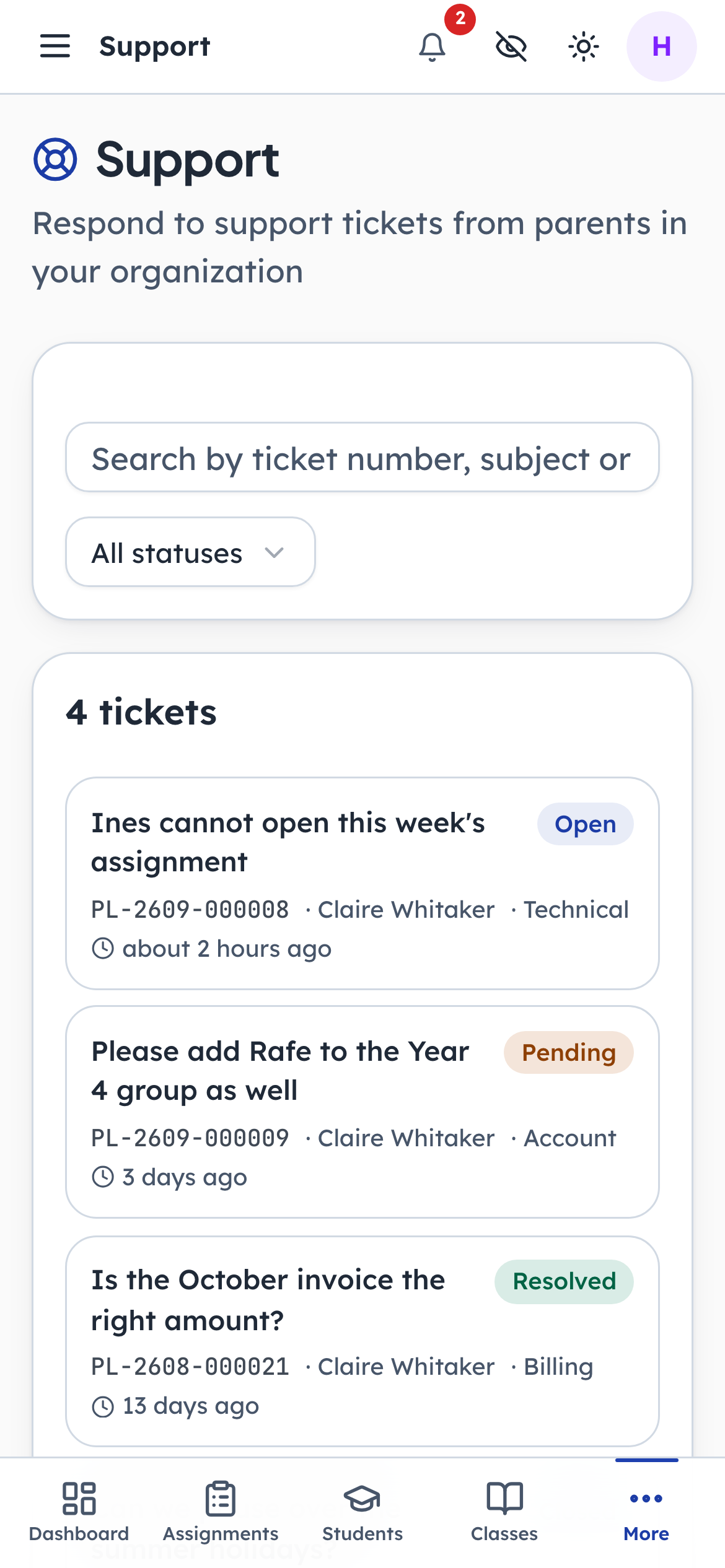
- 1Type in: Find one by number or name
- 2Click: Waiting on us
- 3Notice: How many are open at all
The centre does not watch an inbox. Every ticket from every family is here, with its reference, who asked, the category and how long it has been waiting. The dot marks the ones where the family spoke last and nobody has answered yet — which is the only list that really matters first thing on a Monday.
- penleap.com/dashboard/supportSigned in as Org Admin
5The family's words, and who they are, side by side 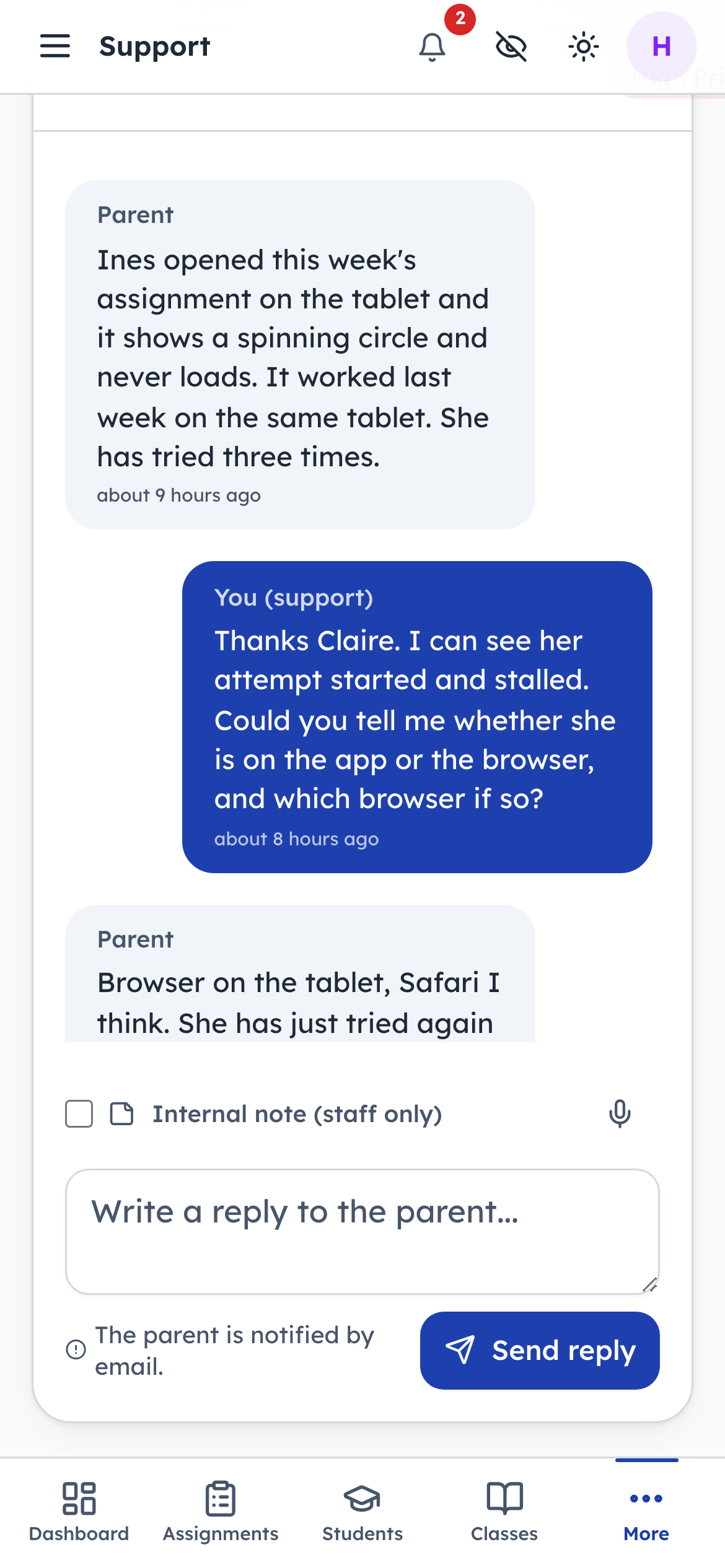
- 1Type in: Write the answer here
Opening a ticket shows the conversation and the person at once. Because the ticket was raised from inside an account rather than from an email address, the centre never has to work out which family this is or which child they mean.
- penleap.com/dashboard/supportSigned in as Org Admin
6A reply goes to the parent, and they are told it has 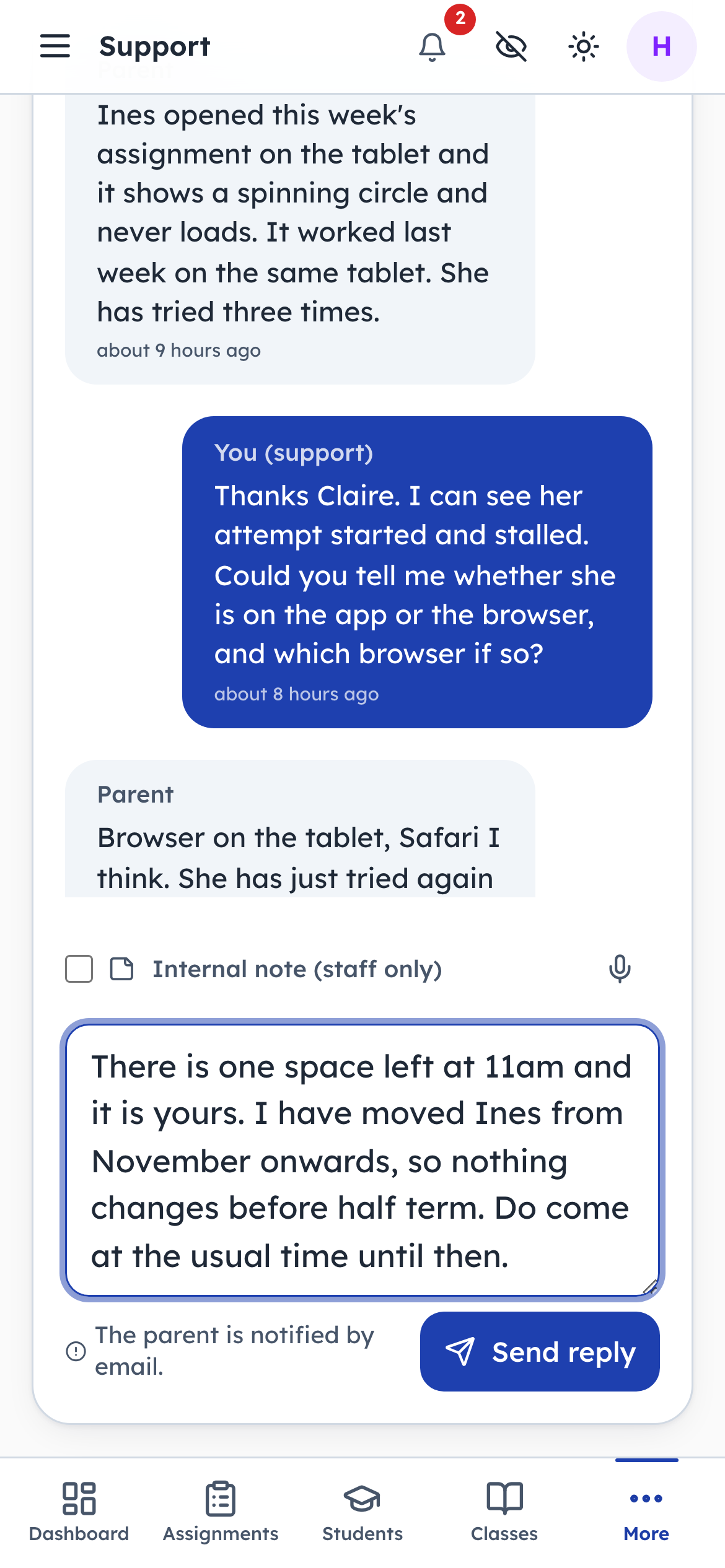
- 1Type in: The reply itself
- 2Notice: What sending will do
The line under the box says exactly what will happen: the parent is emailed. That sentence is there because the alternative — a member of staff wondering whether a reply notifies anyone — is how a family ends up waiting a week for an answer that was written on the first day.
- penleap.com/dashboard/supportSigned in as Org Admin
V1Or a note only the staff room can see 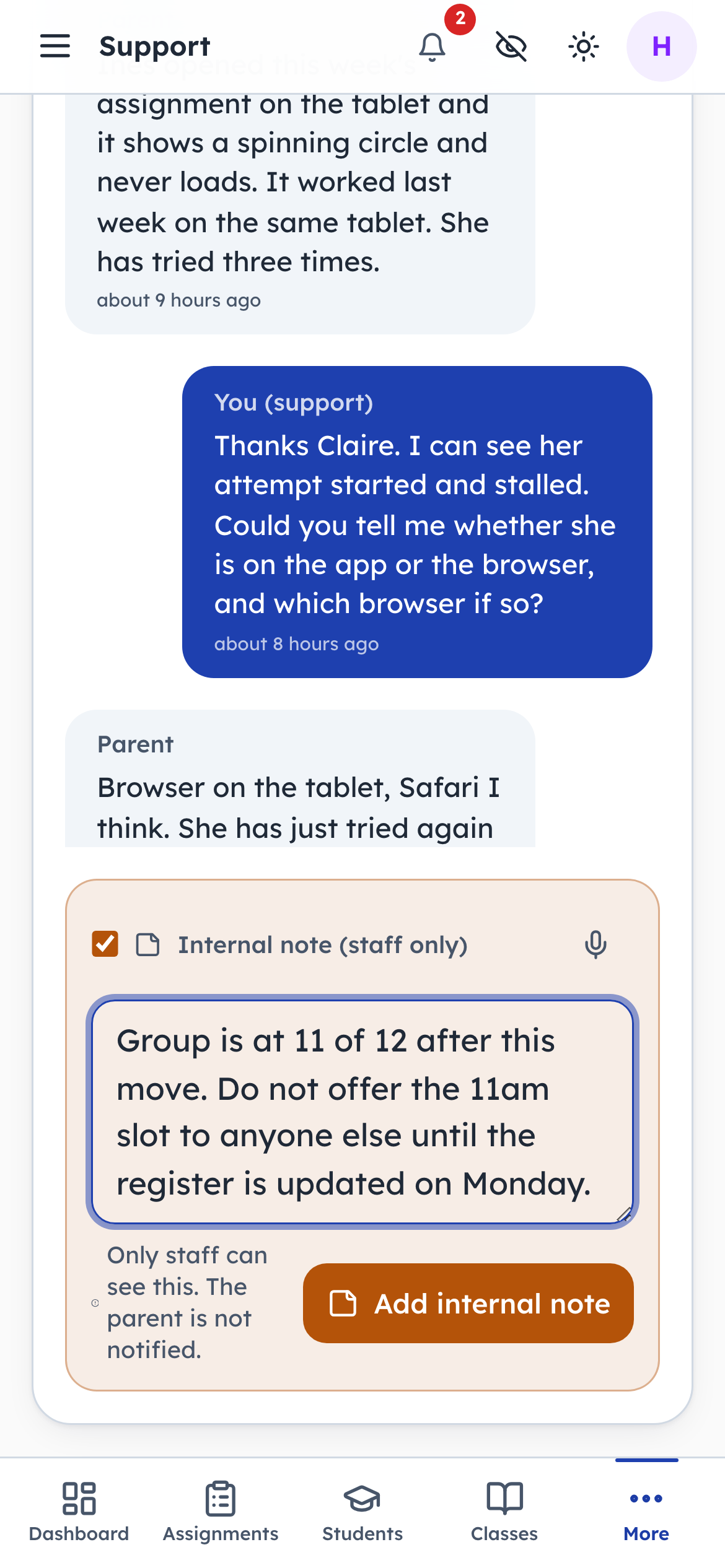
- 1Click: Make it staff-only
- 2Type in: The parent will never see this
- 3Notice: Said plainly, before you send
The same box writes an internal note. The parent never sees it, and the composer turns amber and rewrites its own caption so nobody sends one to a family by accident. This is where the sentence that should not be in a reply goes — the reason a fee was waived, the thing to check before promising a place.
- penleap.com/dashboard/supportSigned in as Org Admin
7Status and priority are the centre's call, not the asker's 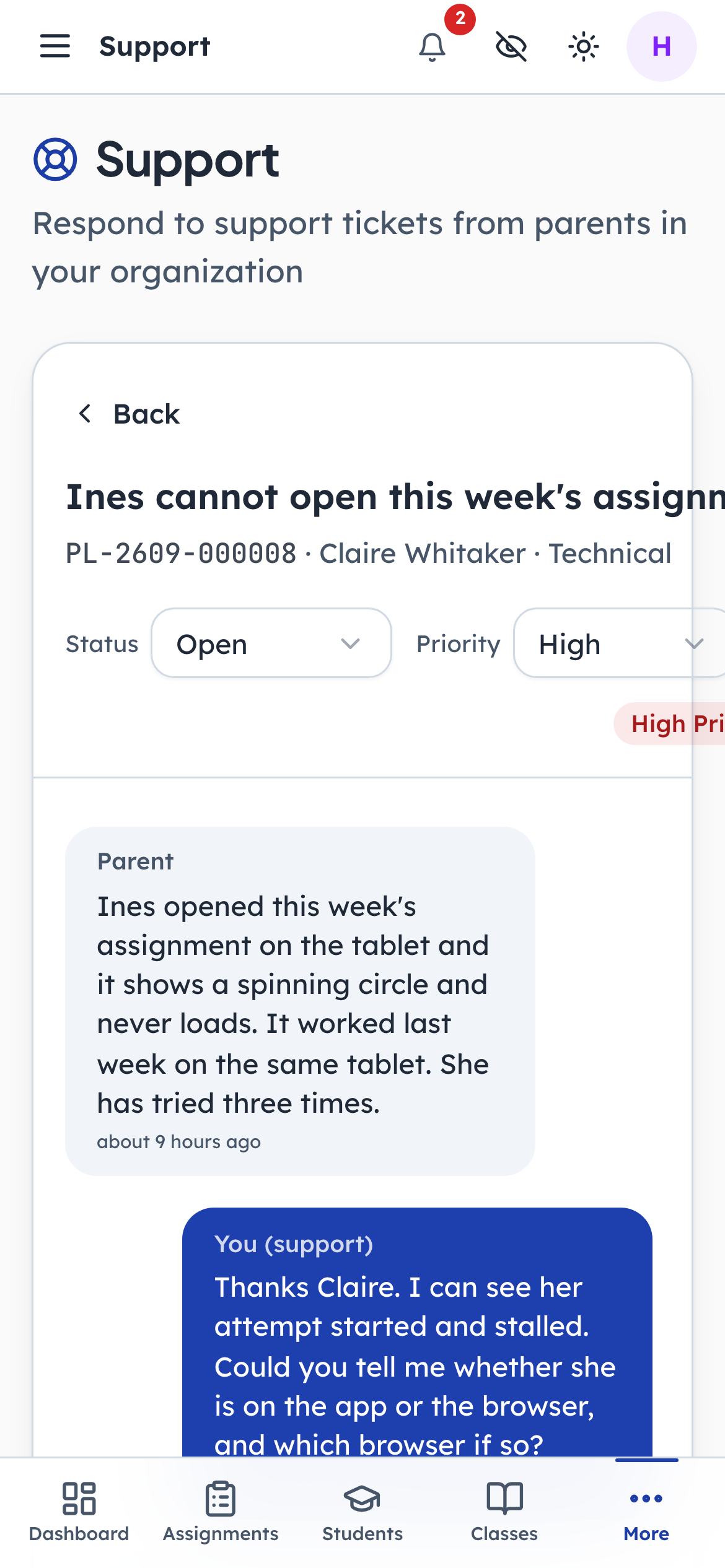
- 1Notice: Where it has got to
- 2Click: How hard it is pulling
Status is where the ticket is up to; priority is how hard it is pulling. Both are set here rather than on the form the parent filled in, which is why a queue of twenty tickets still sorts into something useful — nobody can mark their own question urgent.
And back to the family
Steps 8–10Parent- penleap.com/parent/support/…Signed in as Parent
8The answer appears where the question was asked 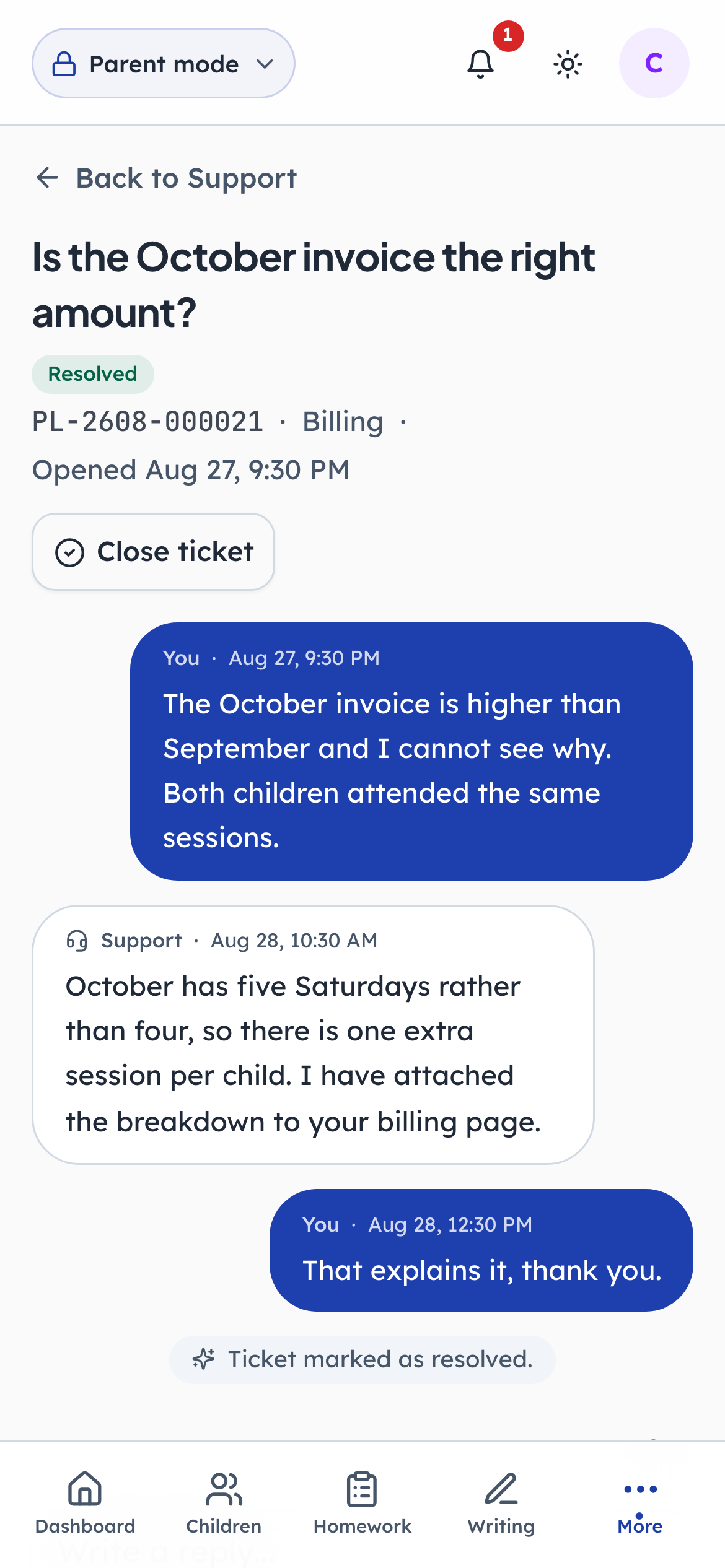
- 1Notice: The question, still here
- 2Notice: Where it got to
No forwarded email, no reference to paste. The reply is on the same page the parent opened, under their own words, and the ticket's status has moved on with it. A family that changes email address does not lose the history.
- penleap.com/parent/support/…Signed in as Parent
9Closed keeps the thread — a new question cites the old one 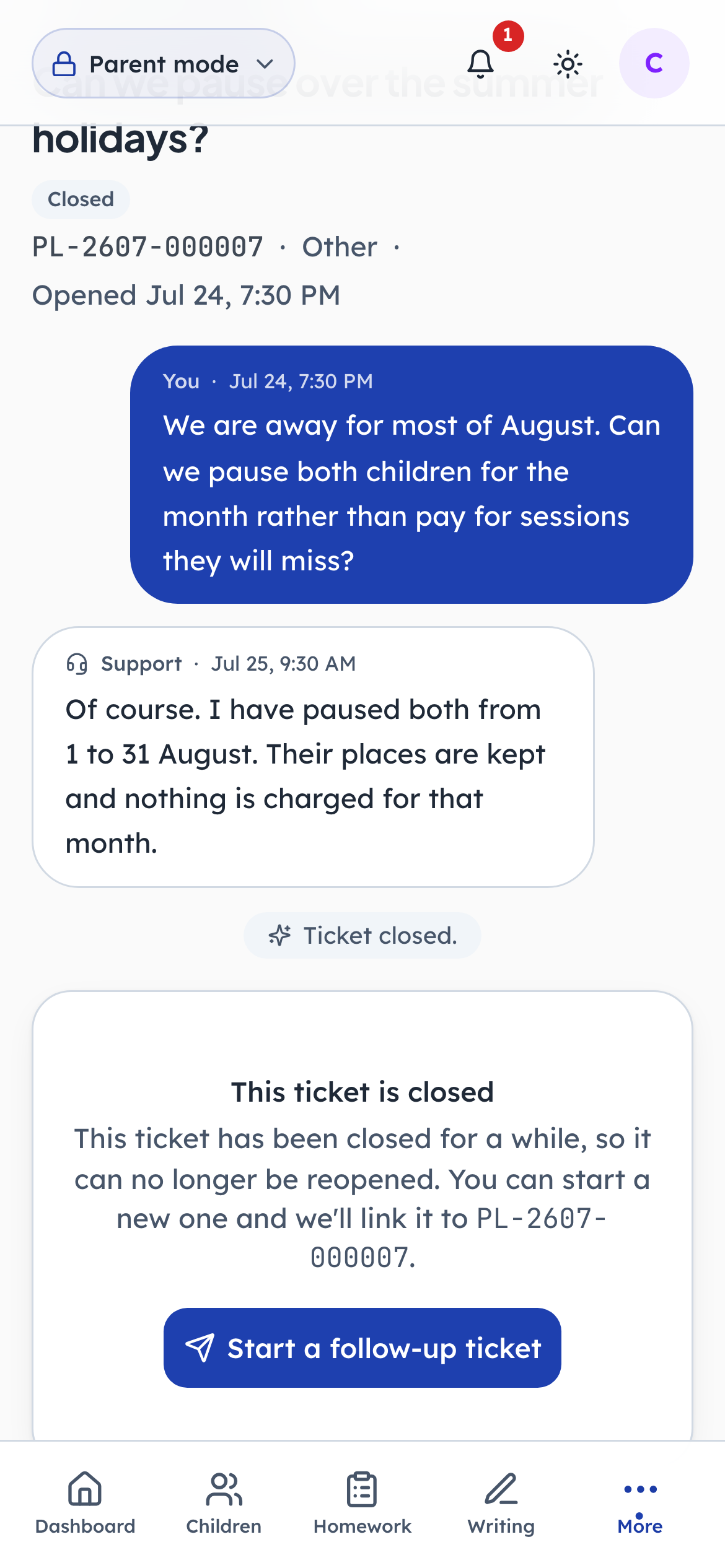
- 1Notice: Closed, not deleted
- 2Click: Come back to it later
Closing does not delete anything. The conversation stays readable, and a family that needs to come back to it starts a follow-up that carries the original reference with it. Nobody has to explain the story twice, and the centre can see it is the same thread continuing.
- penleap.com/parent/notificationsSigned in as Parent
10And it is waiting in the notification list either way 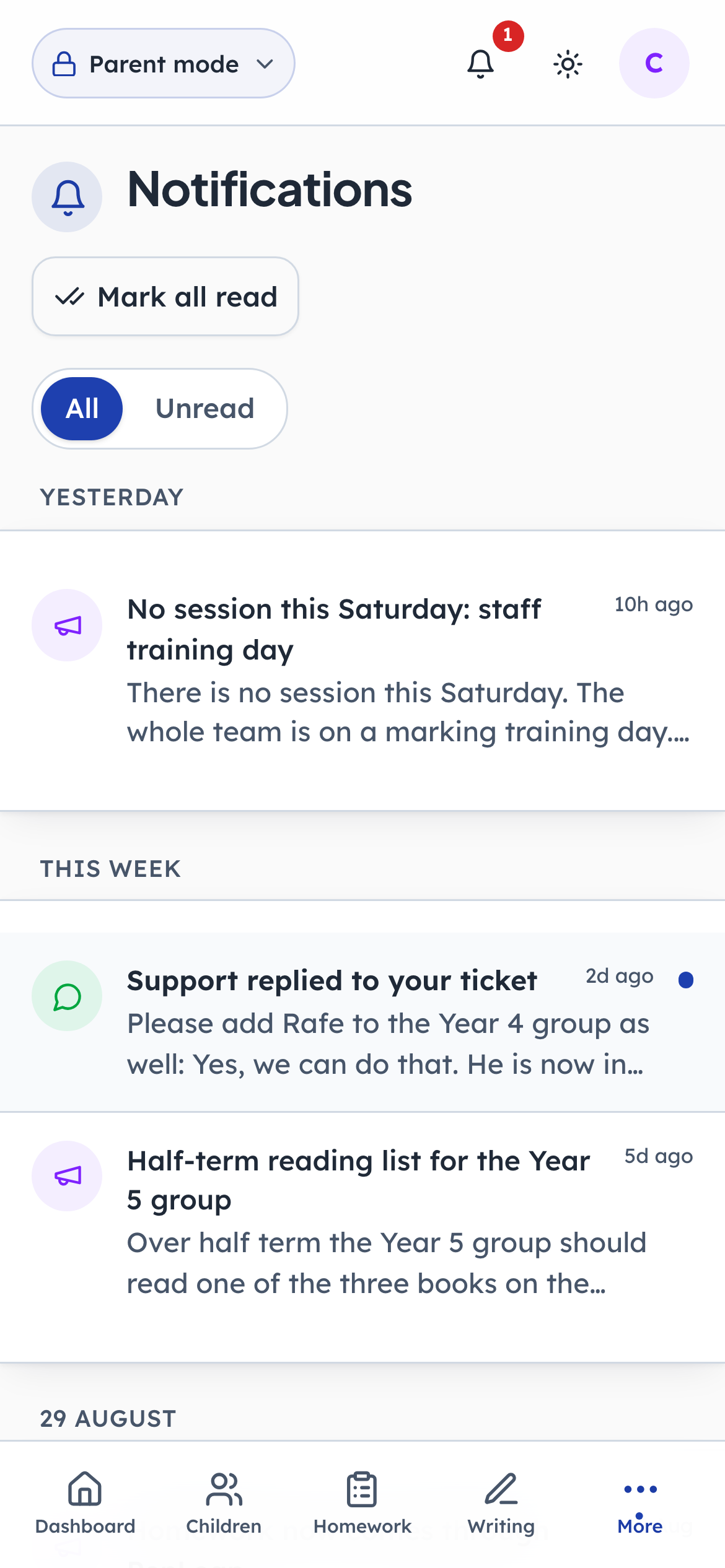
- 1Notice: Everything the centre has sent
A reply also shows up here, alongside marked work and announcements, so a parent who has not opened the support page for a fortnight still finds out. This is the same feed every other kind of update lands in; support is not a separate world.