
10 steps · 5 parts · 3 roles
How a child learns: map, lessons, practice and tests
A child's own view of PenLeap: a course drawn as a map, narrated lessons, practice drills aimed at their weakest strand, timed tests, and the analytics the family and the teacher see.
Everything below is the real product, photographed automatically. The school, its staff and its pupils are invented for this walkthrough — no real family appears on this page.
The child's own home screen
Step 1Child- penleap.com/workspaceSigned in as Child
1One screen, one suggestion for what to do next 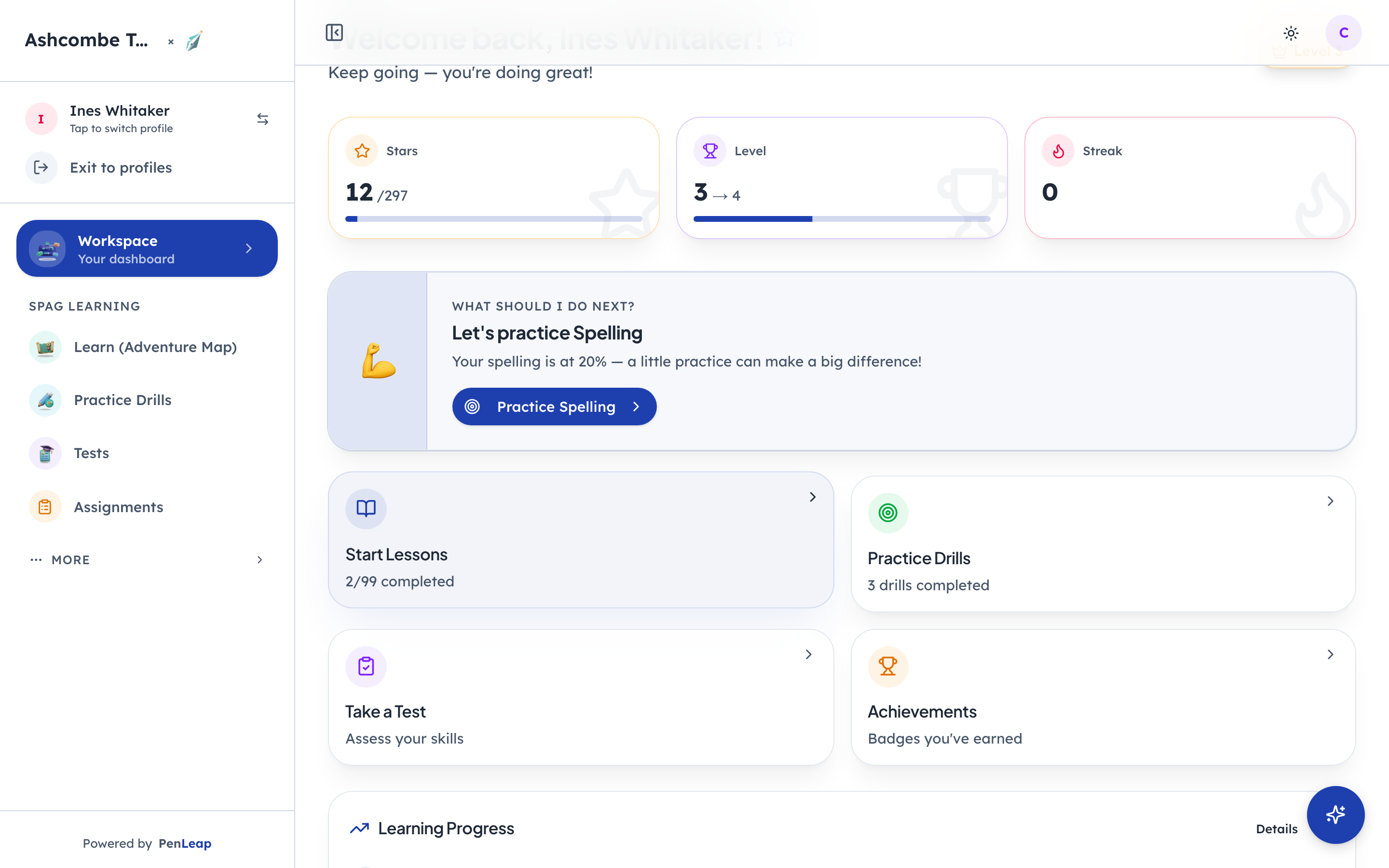
- 1Notice: Picked from their weakest strand
- 2Click: The course, as a map
- 3Notice: Short drills, ten questions
Stars, level and streak sit at the top so a child can see their own progress without a grown-up translating it. Underneath is a single suggestion, chosen from whichever strand is weakest right now. Everything else is one tap away.
The course is a map, and each stop is a lesson
Steps 2–4Child- penleap.com/map?level=5Signed in as Child
2A level of the course, drawn as a path of lessons 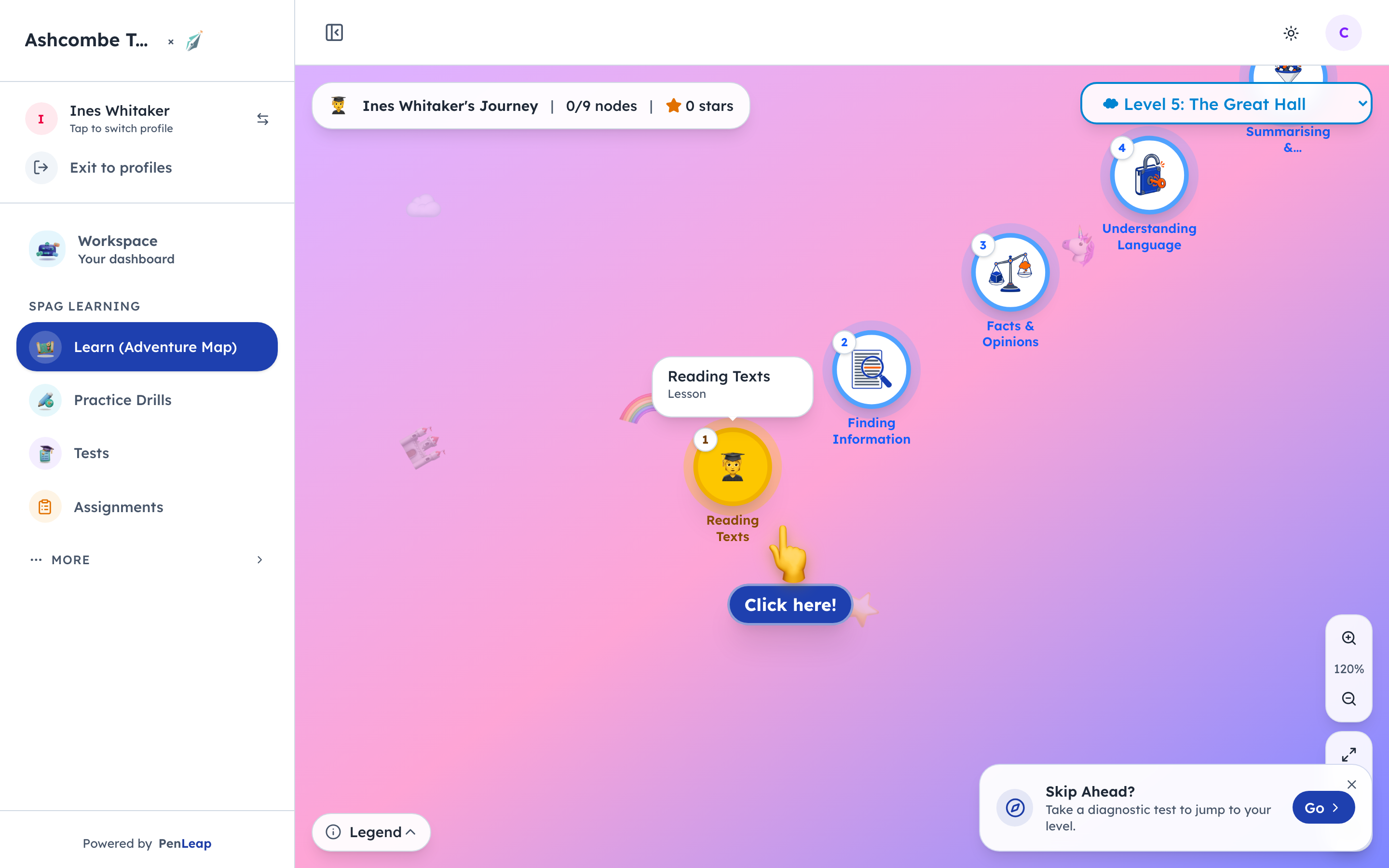
- 1Click: The next lesson to do
- 2Notice: One map per level of the course
- 3Notice: What each shape means
Each level of the child's course is its own map. Lessons are the numbered stops, in the order the centre has arranged them, and the pointer always sits on the next one to do. The level picker at the top switches between the levels the child has opened.
- penleap.com/learning-seeds/topics/class-4-reading-texts?from=map&level=6Signed in as Child
3A lesson opens with a choice: read along, or let it play 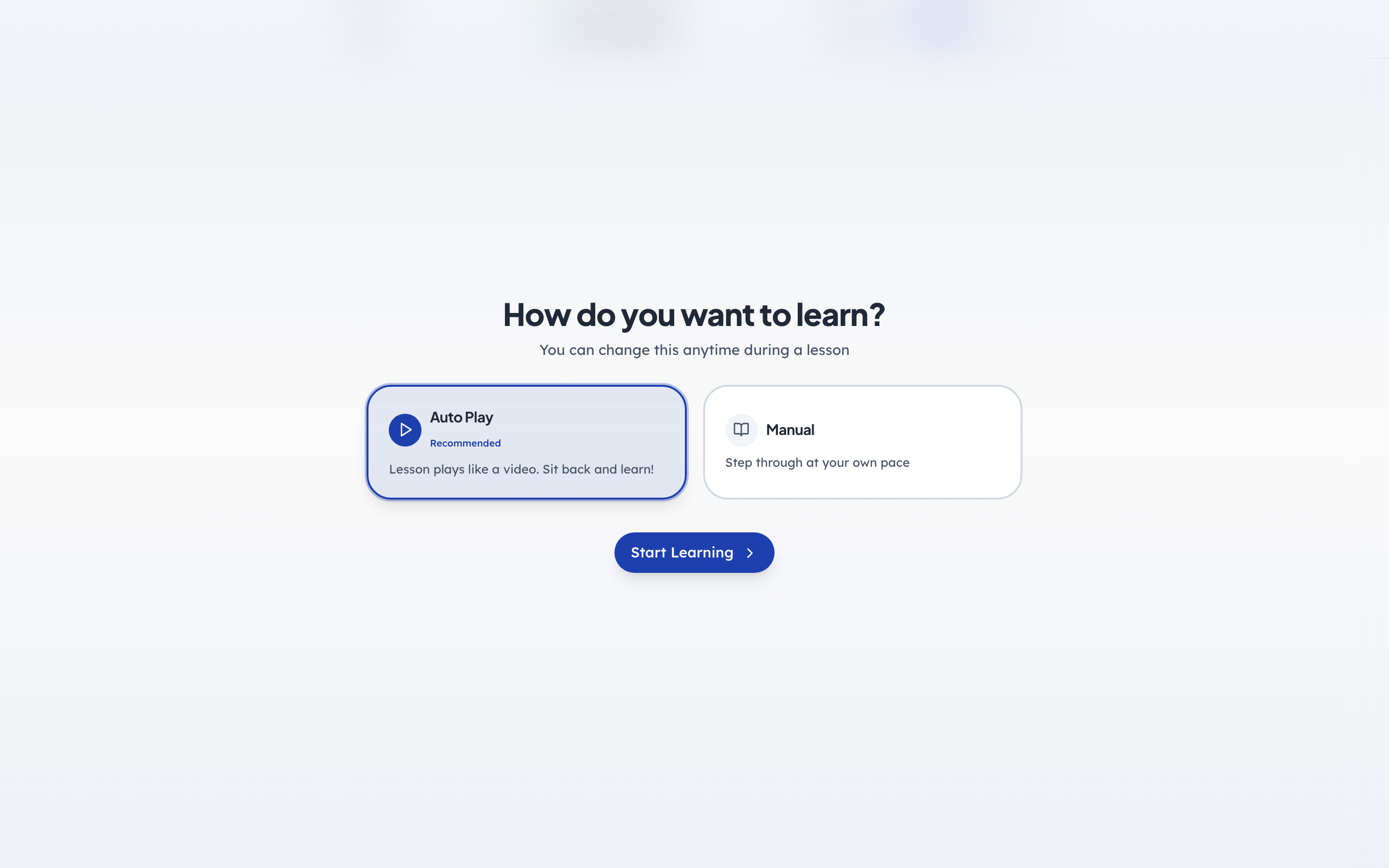
- 1Notice: Reads aloud and moves on by itself
- 2Notice: Or at their own pace
- 3Click: Begin the chapter
Lessons are narrated. Auto play reads each screen aloud and moves on by itself, which is how most children use it. Manual lets them set the pace. Either way the lesson ends with a short check, and the map remembers where they got to.
- penleap.com/learning-seeds/topics/class-4-reading-texts?from=map&level=6Signed in as Child
4Inside a lesson: a warm-up the child does, not just reads 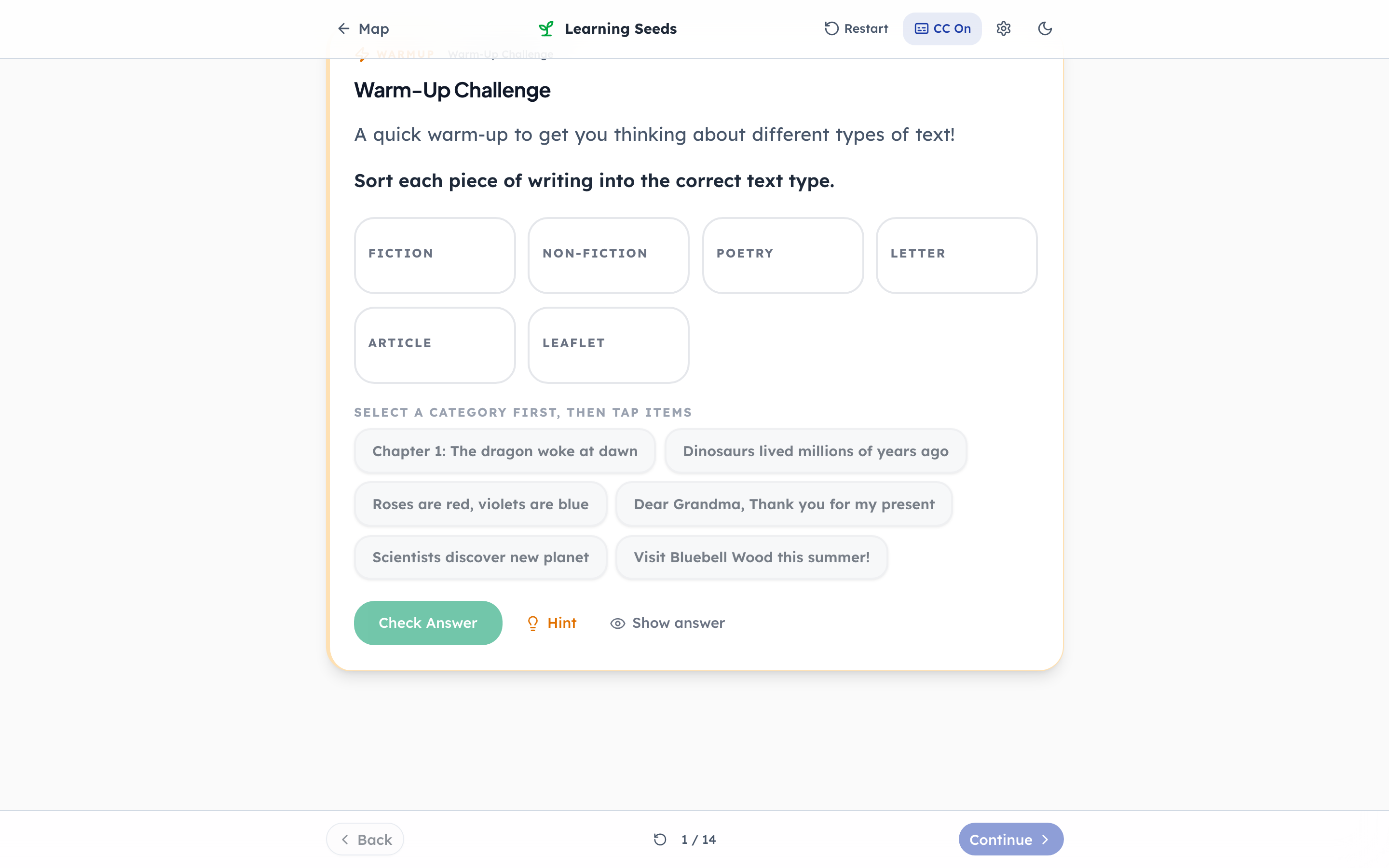
- 1Notice: Do first, then learn
- 2Click: Pick a kind, then tap the snippets
- 3Notice: A nudge if they are stuck
- 4Notice: Short screens, one idea each
Chapters open with something to do before anything is explained, here matching snippets of text to the kind of writing they are. Big type, short screens, and a voice reading along for a child who finds reading hard. The map is one tap away the whole time, and captions can be switched on.
Practice drills and tests
Steps 5–8Child- penleap.com/learn/practiceSigned in as Child
5Today's practice is chosen for them 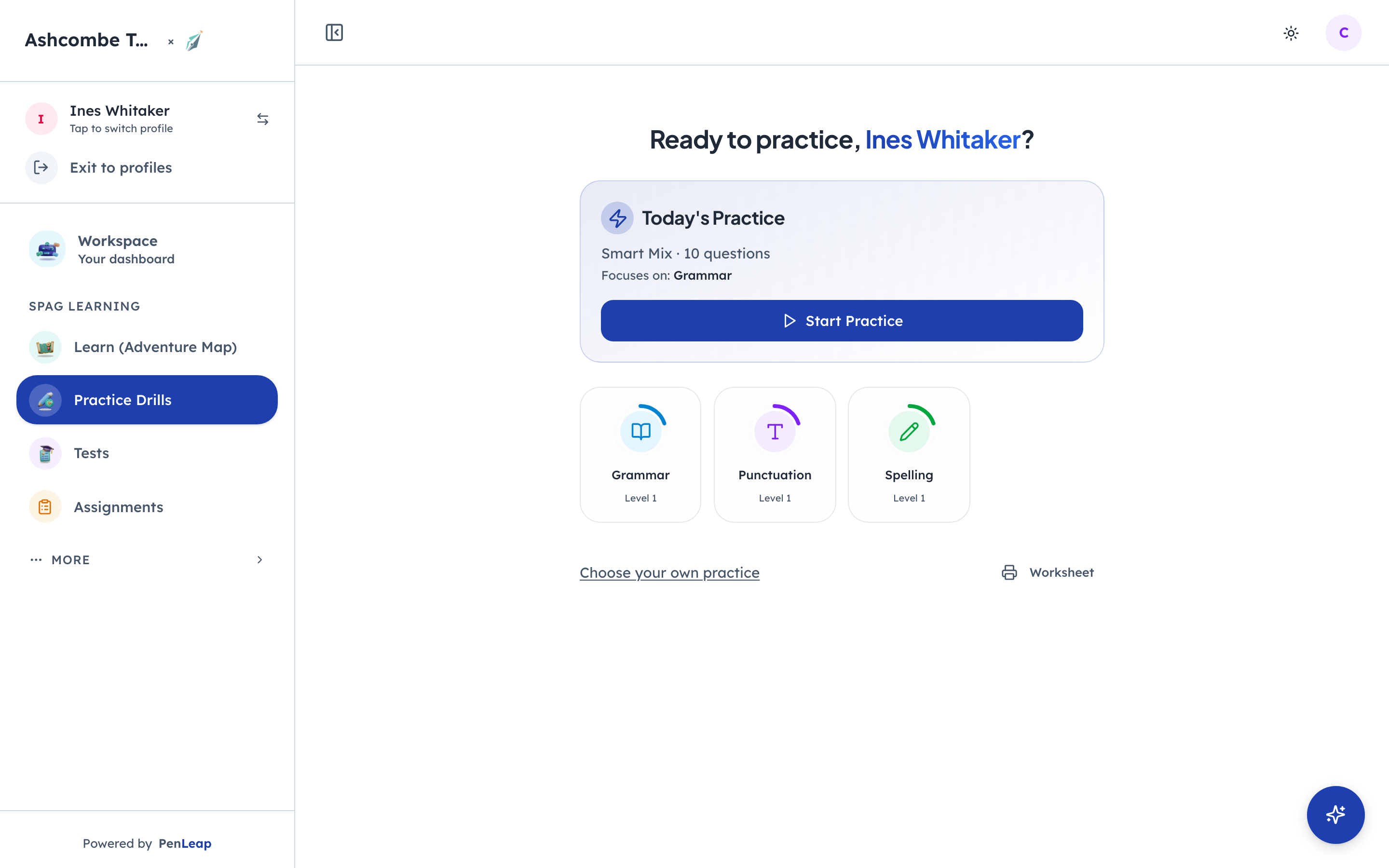
- 1Notice: Aimed at the weakest strand
- 2Click: Ten questions
- 3Notice: Or print it
Smart Mix picks ten questions weighted towards whatever the child is weakest at, so practice is never random. The strand tiles underneath let them pick for themselves, and there is a printable worksheet for the kitchen table.
- penleap.com/learn/practice?drill=smart-mixSigned in as Child
6One question at a time, with a hint if they want one 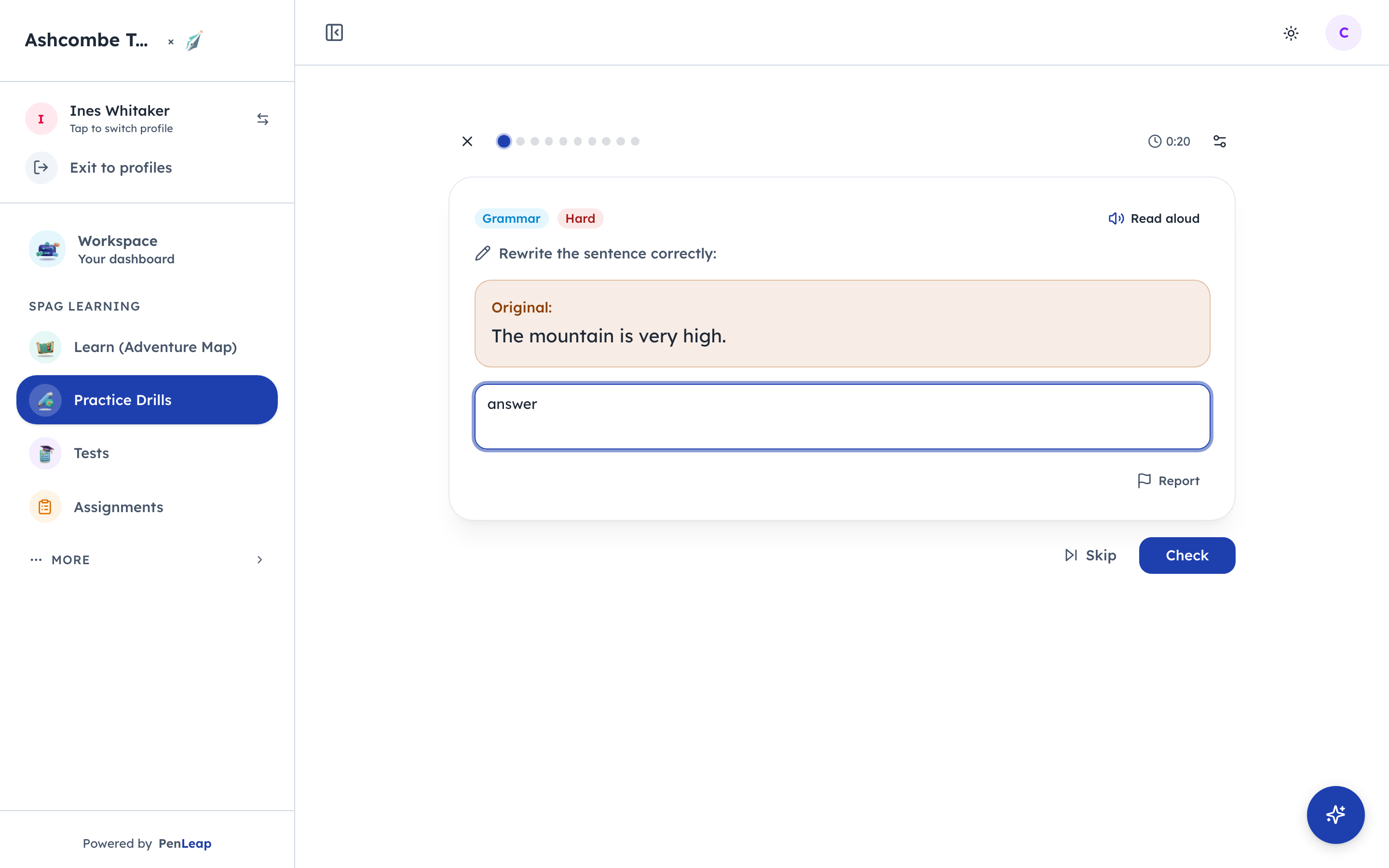
- 1Click: Mark it now
- 2Notice: Move on without a mark
A hint is a nudge, not the answer, and using one is remembered so the stars at the end are honest. Check marks the answer on the spot; Skip moves on without a mark. There is no timer in practice, on purpose.
- penleap.com/learn/practice?drill=smart-mixSigned in as Child
7Marked instantly, with the right answer shown 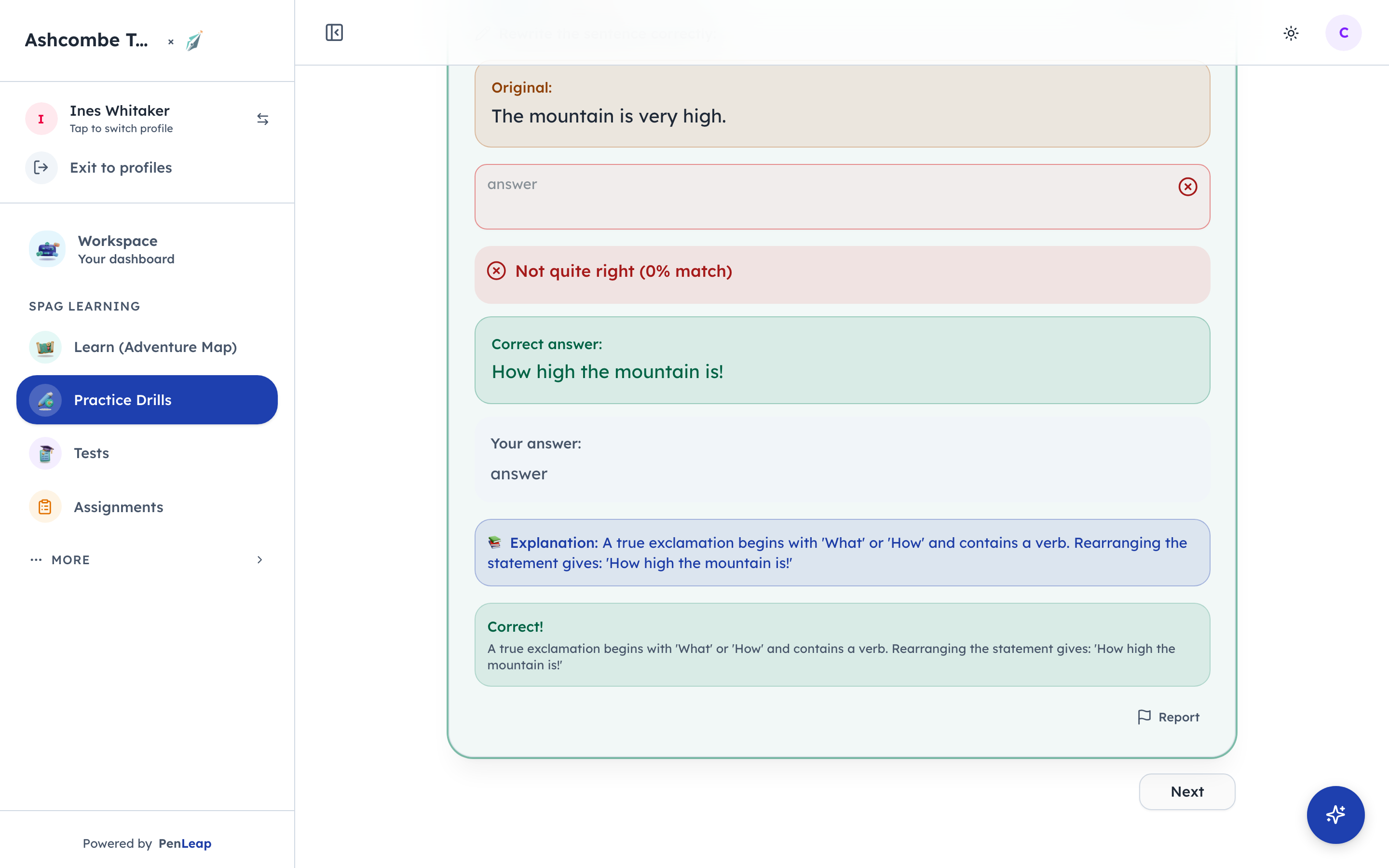
- 1Notice: Marked on the spot
- 2Click: Next question
Right or wrong, the child sees the answer before moving on, and a wrong one is explained. Getting three in a row lights a streak. At the end of ten, stars, gems and any badge they have earned are revealed.
- penleap.com/learn/testSigned in as Child
8Tests are timed, and marked the moment they finish 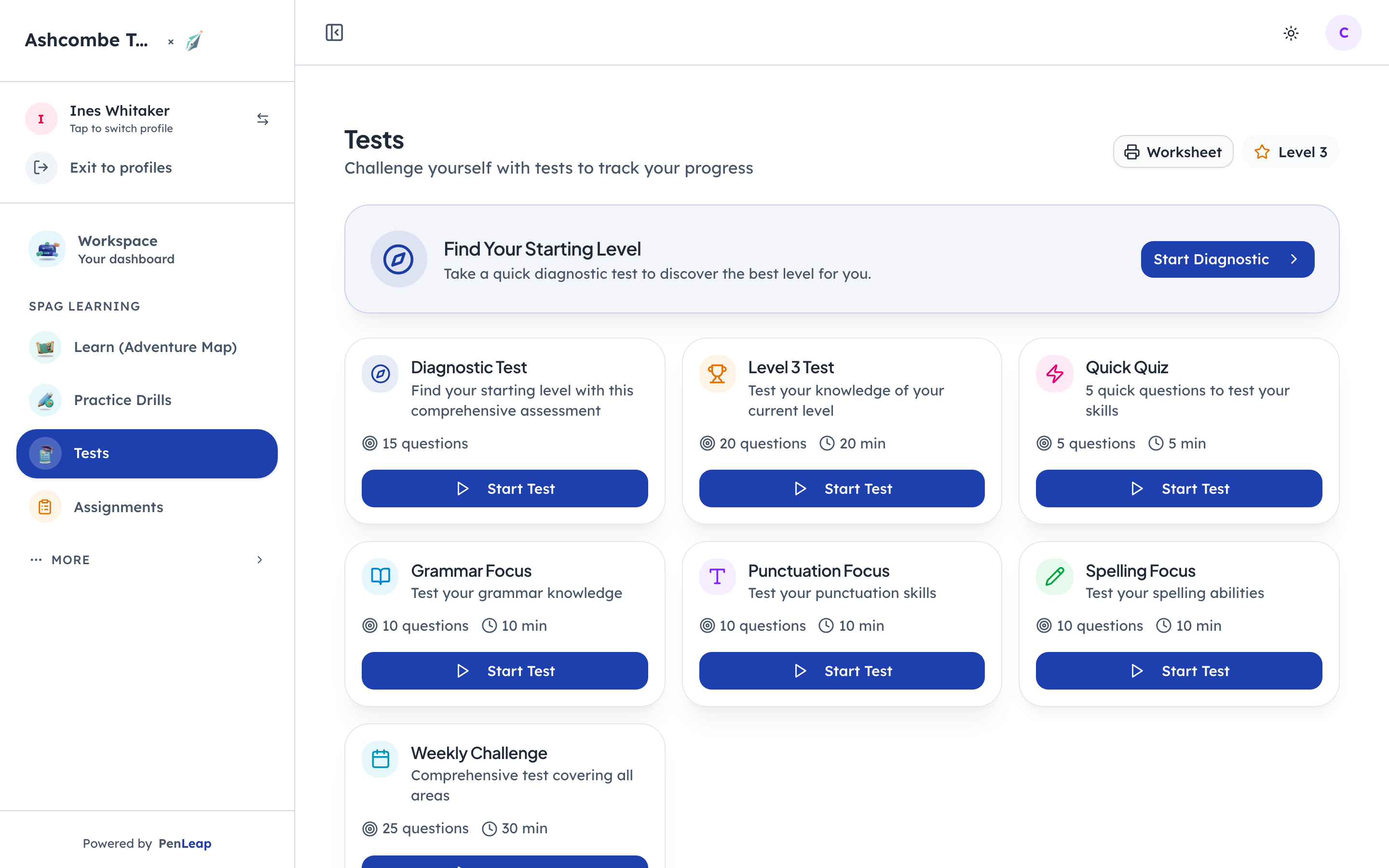
- 1Notice: Finds a starting level
- 2Notice: Five questions, five minutes
- 3Click: Timed, then marked at once
The diagnostic finds a starting level for a new child. Level tests and focus tests check a strand under exam conditions, with a clock. A quick quiz is five questions for a spare five minutes. Results come with a question-by-question review.
What the parent sees
Step 9Parent- penleap.com/parent/analyticsSigned in as Parent
9The same activity, as a parent's analytics 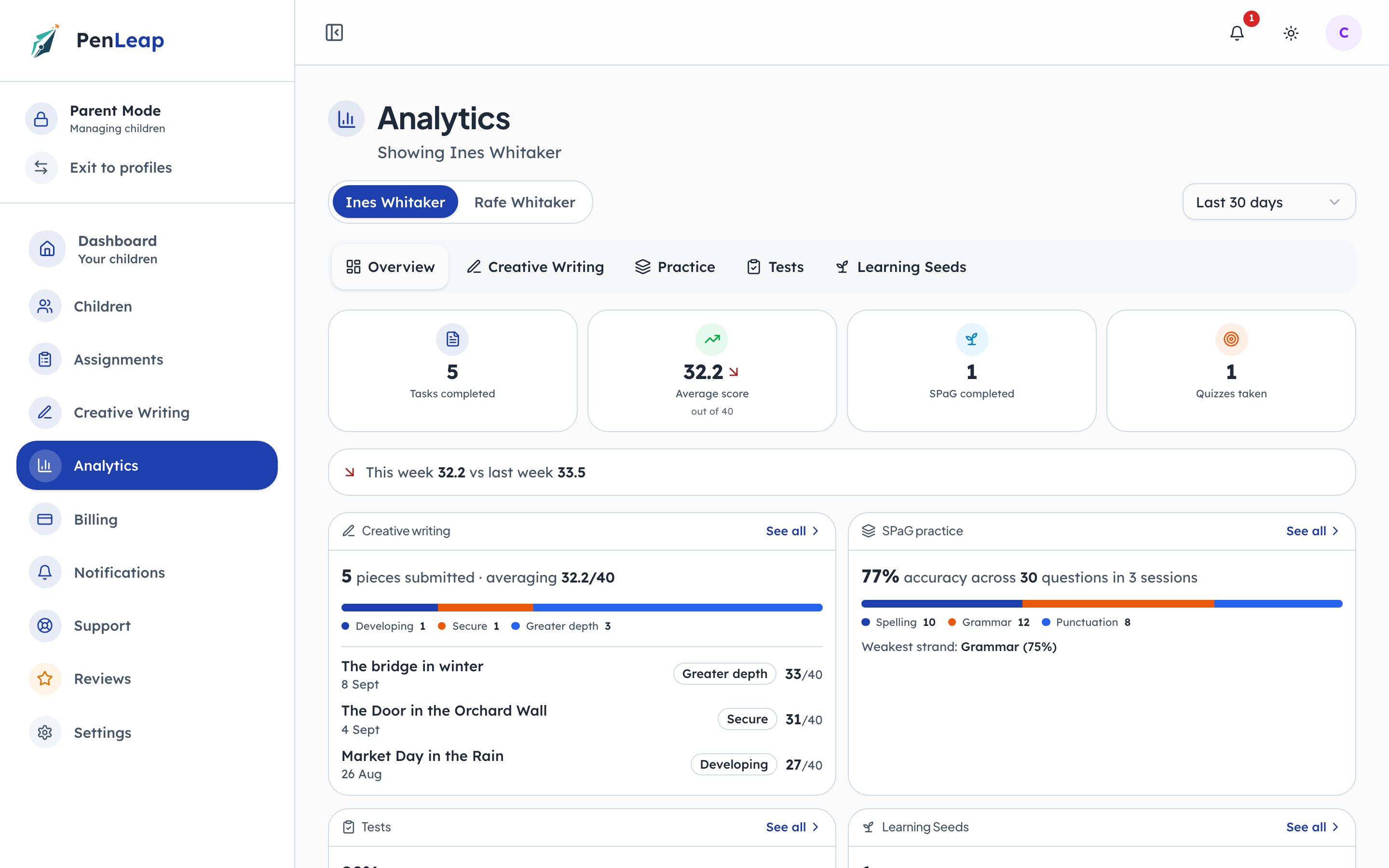
- 1Notice: Across every marked piece
- 2Notice: Where ten minutes at home helps
- 3Notice: This week, or all time
Writing, practice and tests roll up into one view per child, with the weakest strand named so a parent knows where ten minutes at home would help most. The range picker goes from this week to all time.
What the teacher sees
Step 10Class Teacher- penleap.com/dashboard/students/…Signed in as Class Teacher
10Per child, the teacher sees strand levels and stars 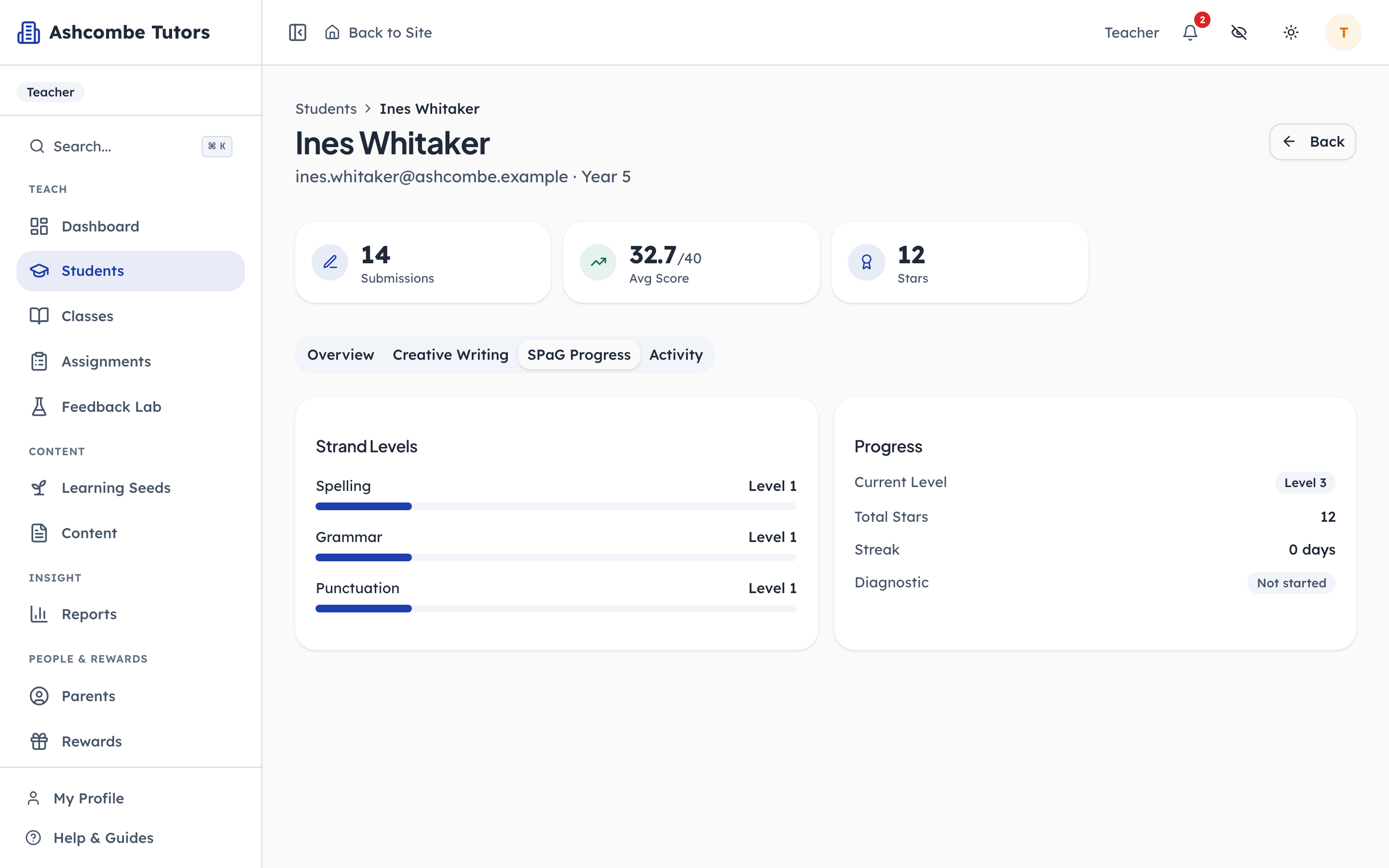
- 1Notice: Spelling, grammar, punctuation
- 2Notice: Where they are on the course
- 3Notice: Earned across everything
The same numbers from the teacher's side: level by strand, total stars, streak, and whether the child has sat the diagnostic. Next to it, their writing history. This is the page to open before a parents' evening.